How to Message an Unsaved Number on WhatsApp on iPhone
Have a number you have not saved? ClickPing opens a WhatsApp chat with it on iPhone. Type, paste, share or scan the number. Numbers you open are not saved to your contacts.
Published October 23, 2026 · Last updated October 25, 2026
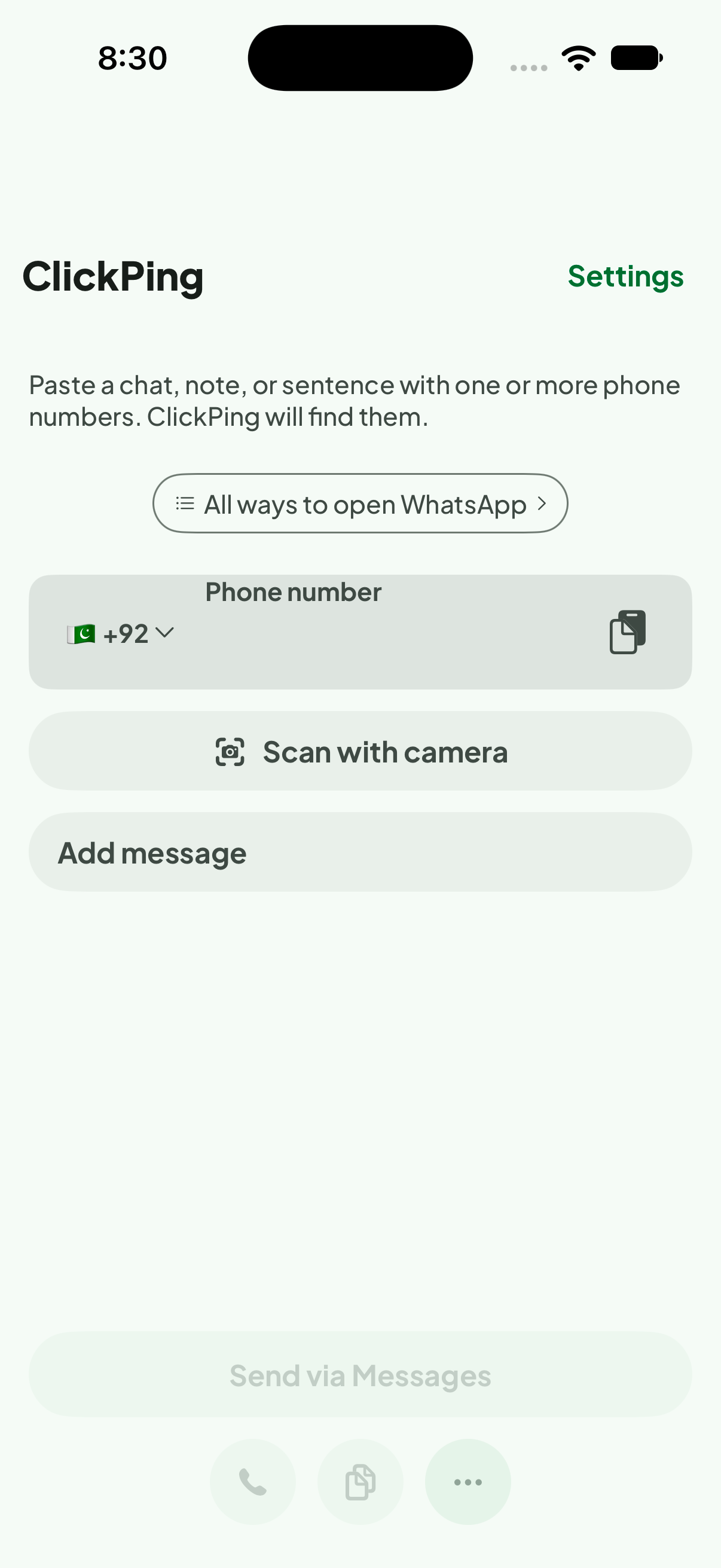
You have a number from a listing, an invoice or a web page, and you want to message it on WhatsApp without adding it to your contacts first. ClickPing opens a WhatsApp chat for the number you give it, on iPhone. ClickPing is an independent app. Not affiliated with WhatsApp.
Want to message someone without saving their number? ClickPing opens the chat for you without adding a contact. Get it on Google Play or the App Store.
Steps to message an unsaved number
- Install ClickPing on your iPhone and open it.
- Enter the number. Type or paste it into the Phone number field on the home screen.
- Include the country code if you know it. ClickPing adds the country code when the number needs one.
- Or bring in a number from another app. Share the text to ClickPing from the share sheet.
- Or scan a number with the camera. Tap Scan with camera and point it at the number.
- Open the chat. WhatsApp opens a chat with that number. You do not need to save it first.
Why the number stays off your contacts
Opening a chat this way does not create a contact. Numbers you open are not saved to your contacts, and ClickPing keeps no list of them. That suits a seller, a delivery or a booking you will not follow up on, because nothing is added to your phone's address book.
Which numbers work
ClickPing opens a chat when the number is a valid WhatsApp number. When a number comes from a message or a web page, check the digits before you enter it. If a number will not open, see how to send a WhatsApp message without saving the number.
FAQ
- Does ClickPing save the number to my contacts? No. Numbers you open are not saved to your contacts, and ClickPing keeps no list of them.
- Do I need to type the country code myself? ClickPing adds the country code when the number needs one. If you know the code, include it.
- Can I use a number I found in an email or invoice? Yes. Paste it into the Phone number field, or share it to ClickPing from the app that shows it.
- Is ClickPing made by WhatsApp? No. ClickPing is independent. Not affiliated with WhatsApp.
Related
- ClickPing: Click to Chat
- Open a WhatsApp chat from a number in a photo or text
- Reusable message templates with the date and time filled in
- ClickPing articles