How to Create a WhatsApp Link With a Pre-Filled Message (wa.me)
Create a WhatsApp link with a pre-filled message using wa.me click-to-chat links, QR codes, WhatsApp Business short links, and what to use on your phone — step by step.
Published October 14, 2026
You want to share a link that opens a WhatsApp chat with a message already
typed in — a booking confirmation, a catalog reply, a "table for two at 7"
note. WhatsApp supports that. The official format is a wa.me click-to-chat
link with a ?text= parameter, and there are several ways to build one,
depending on whether you're on a phone, on a desk, or running a business.
This guide walks through the real options — hand-building the link, turning it into a QR code, using WhatsApp Business's built-in short link, and generating links with an app on your phone — with their honest limits.
Hand-build a wa.me click-to-chat link
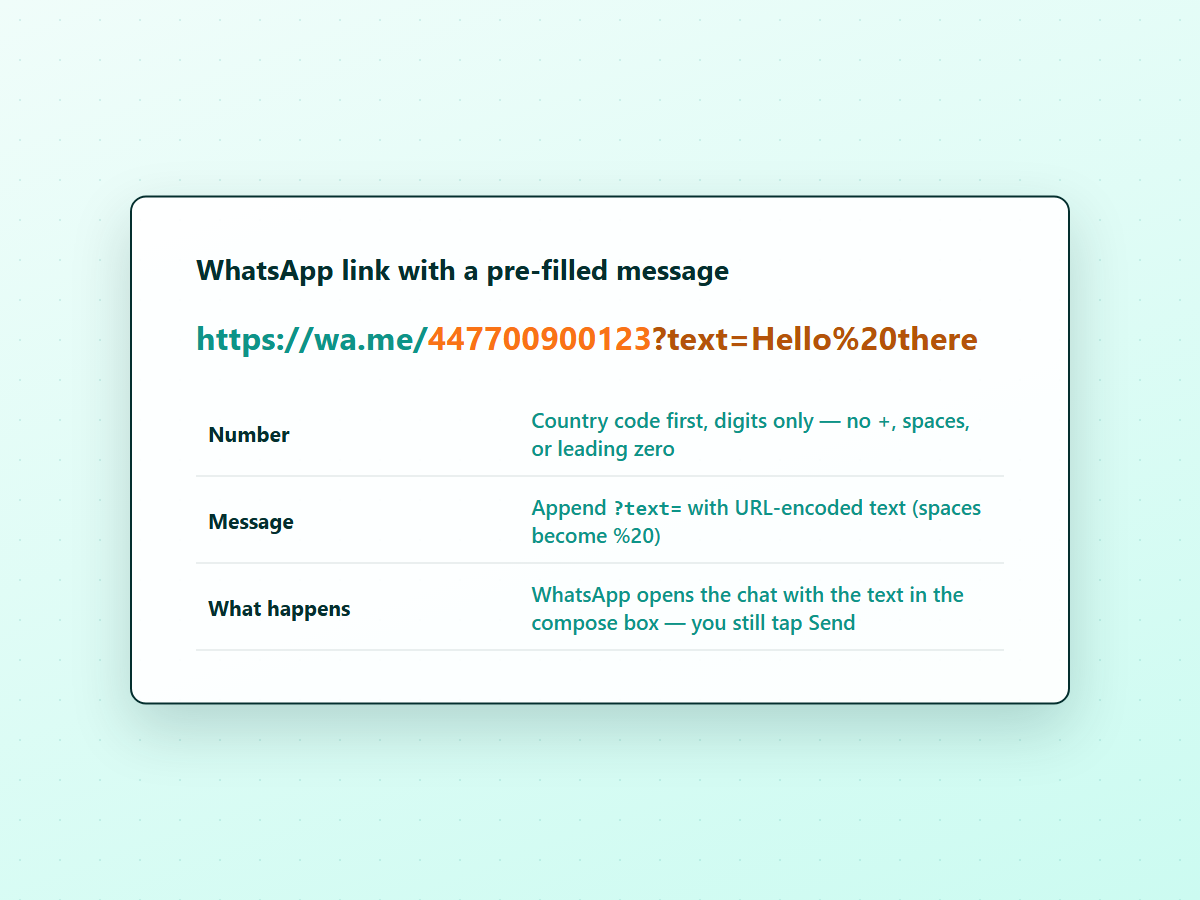
WhatsApp documents click-to-chat in its official help center: you can begin a chat with someone without having their number saved, as long as you know the number and they have an active WhatsApp account. The link format is:
https://wa.me/<number>?text=<urlencodedtext>
The <number> is a full phone number in international format — country code
first, digits only. No plus sign, spaces, dashes, brackets, or leading trunk
zero. The ?text= parameter is optional; when you include it, WhatsApp opens
the chat with that text already in the compose box.
A worked example for a UK mobile number:
https://wa.me/447700900123?text=Hello%20there
The space in "Hello there" becomes %20 — that's URL encoding, and it matters.
See URL-encoding, in practice below.
Why it's good: it works on any device with a browser, and you can put it anywhere — a website, a QR code, a bio, an email signature.
Where it falls short: you have to get the number format exactly right, and long messages with special characters are tedious to encode by hand. A link like this also points at one number — if you message many people, you build many links.
URL-encoding, in practice
Every character in the ?text= value has to be URL-encoded so the URL stays
valid. The rules are simple:
- Spaces become
%20(some tools also accept+, but%20is the safe form). - Letters, numbers, and
-_.~stay as they are. - Everything else —
?,&,=,#,%, emoji — gets a percent-encoded form. For example, a comma is%2Cand a newline is%0A.
Most link generators and phone apps encode for you. If you're typing a link by
hand, keep the message short and stick to letters, numbers, spaces, and basic
punctuation. If the link doesn't open the chat, an unencoded & or # in the
message is usually the culprit.
Turn the link into a QR code
A wa.me link works as a QR code — the code just encodes the URL. Generate one
with any QR code generator (your phone's camera app can also read wa.me links
directly from a printed code). This is the standard pattern for a shop window,
a menu, a flyer, or a counter sign: people scan, WhatsApp opens, the message is
ready.
The tradeoff is the same as the link itself — one code, one number, one message. If you need the code to say something different, you generate a different code.
Use the WhatsApp Business app's built-in short link
If you use the WhatsApp Business app, it ships with its own short link and QR code generator — no manual formatting. In the WhatsApp Business app, open the menu, go to Business tools, and choose Short link (menu labels vary by version).
From there you can share the link, view its QR code, and edit the default
message. The short link looks like https://wa.me/message/<code>; it hides the
phone number and lets you change the default message later, and the QR code lets
you print it for in-person scanning.
Why it's good: it's built into the app you already use, it produces both a link and a QR code, and you can set a pre-filled default message that people see when they open the chat.
Where it falls short: it's tied to the WhatsApp Business app and your business number. If you use personal WhatsApp, or you want a link that isn't attached to a business account, this isn't the tool.
Open a chat with a pre-filled message from your phone
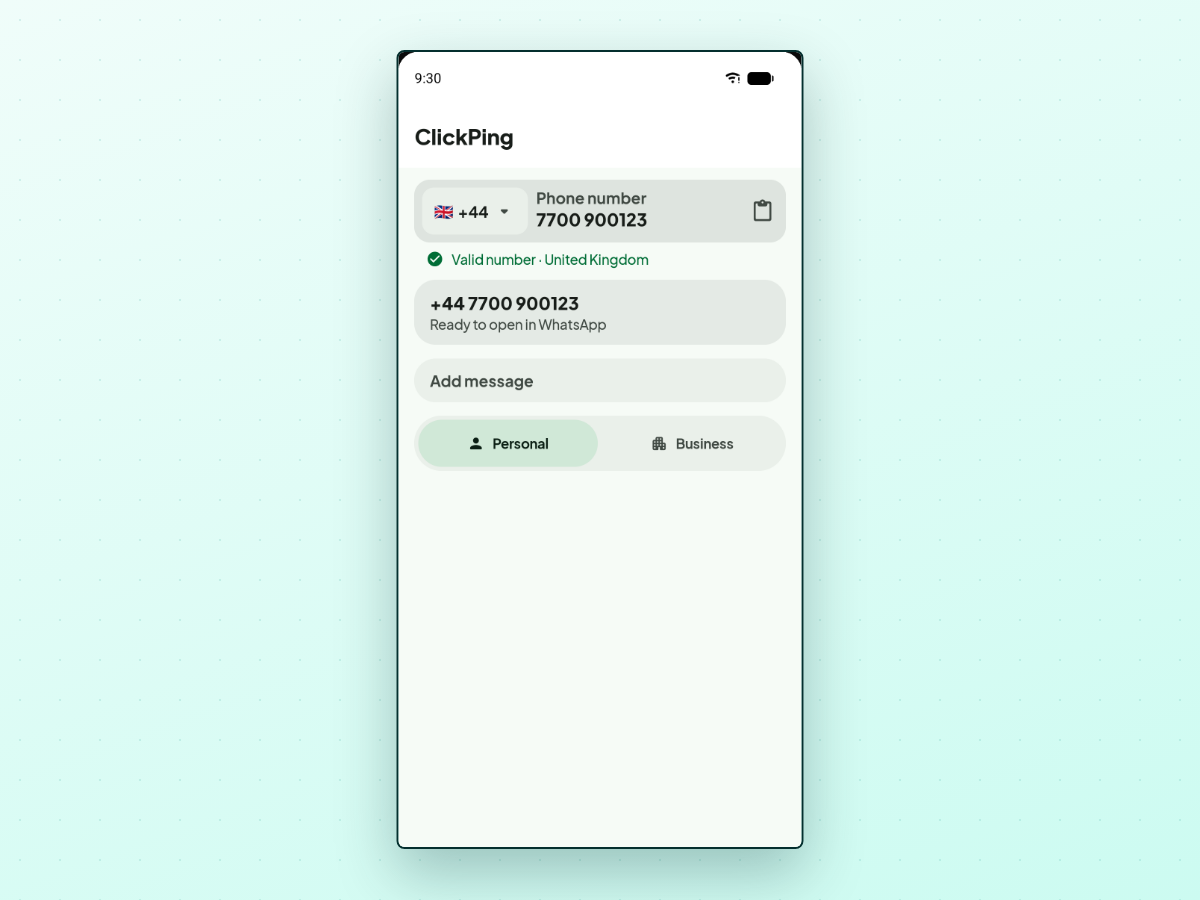
If you only need to open one chat with a message ready — not share a link — a click-to-chat app does the fiddly parts for you. These apps take a number in almost any format, sort out the country code, let you add an optional message, and open the chat in WhatsApp or WhatsApp Business.
ClickPing is one option. ClickPing doesn't produce a link to share. It's for opening a chat yourself on Android or iPhone: type or paste a number, see a validation preview like Valid number · United Kingdom before anything opens, add an optional message, and choose WhatsApp Personal or WhatsApp Business when both are installed. It's independent and not affiliated with WhatsApp, Meta, or Google.
Why it's good: it removes the two fiddly parts — country-code formatting and URL-encoding — and works from the phone you're holding.
Where it falls short: it opens a chat; it can't give you a link or QR code to send to someone else, so use one of the methods above for that. You still tap Send inside WhatsApp yourself.
Save reusable message templates
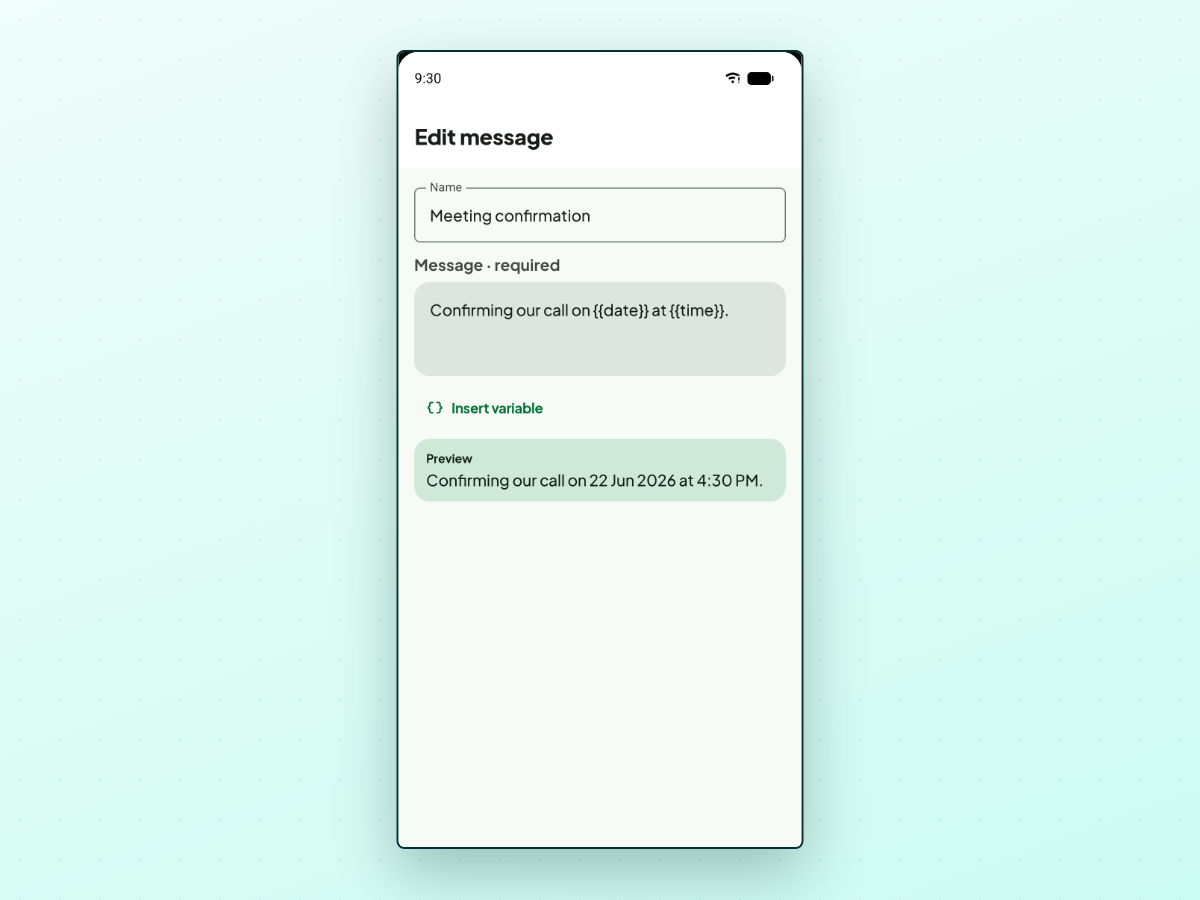
If you send similar pre-filled messages often — appointment confirmations, follow-ups, opening hours — rebuilding the link each time is wasteful. A click- to-chat app can store your messages as templates so you reuse them in a tap.
ClickPing's saved-message feature lets you keep a short list of reusable
messages and drop in variables that fill in when you use them: {{date}} for
today's date, {{day}} for the weekday, {{day_month}} for the day and month,
and {{time}} for the current time. A live preview shows the resolved message
before you open WhatsApp, so you can confirm the variable filled correctly.
The templates are stored on your device; no account is required.
The template becomes the message that WhatsApp opens with, and the app handles the encoding.
Personal WhatsApp vs WhatsApp Business
The right tool depends on which WhatsApp you use:
- Personal WhatsApp: hand-build a
wa.melink, use an online generator for a link or QR code, or use a click-to-chat app to open a chat yourself. The WhatsApp Business short-link feature isn't available on personal accounts. - WhatsApp Business: you have the built-in short link and QR code in the app, plus the option to add a default message. A click-to-chat app still works if you want template variables for opening chats with other numbers.
Either way, the link opens the same WhatsApp chat — the pre-filled message is a convenience for the sender, not something the recipient sees as different from a normal message.
Frequently asked questions
What is a wa.me/message link?
WhatsApp Business short links look like https://wa.me/message/<code>. They hide
the phone number and let the business edit the default message later. A
standard https://wa.me/<number> link is built from the number itself.
Can I put emoji in the pre-filled message?
Yes, but emoji must be URL-encoded like any other character. A generator or app encodes them for you. If you're typing a link by hand, stick to plain text to avoid encoding errors.
Does the pre-filled message send automatically?
No. WhatsApp opens the chat with the text in the compose box — you still tap Send. The pre-filled message is a starting point, not an auto-send.
Why does WhatsApp say the phone number shared via URL is invalid?
Usually rejected characters — a plus sign, spaces, punctuation, or a local number with a leading zero instead of a country code. Rebuild the link with digits only, country code first; the full walkthrough is in Phone number shared via URL is invalid.
Can I use a WhatsApp link with a pre-filled message for any number?
Yes, as long as the number is in international format and has an active WhatsApp account. If the person doesn't use WhatsApp, the link won't open a chat.
To share a link or QR code, use one of the methods above. If you only need to open one chat with a message ready, ClickPing is one option.