
Android & iPhone · No account required
Open WhatsApp Without Saving a Number
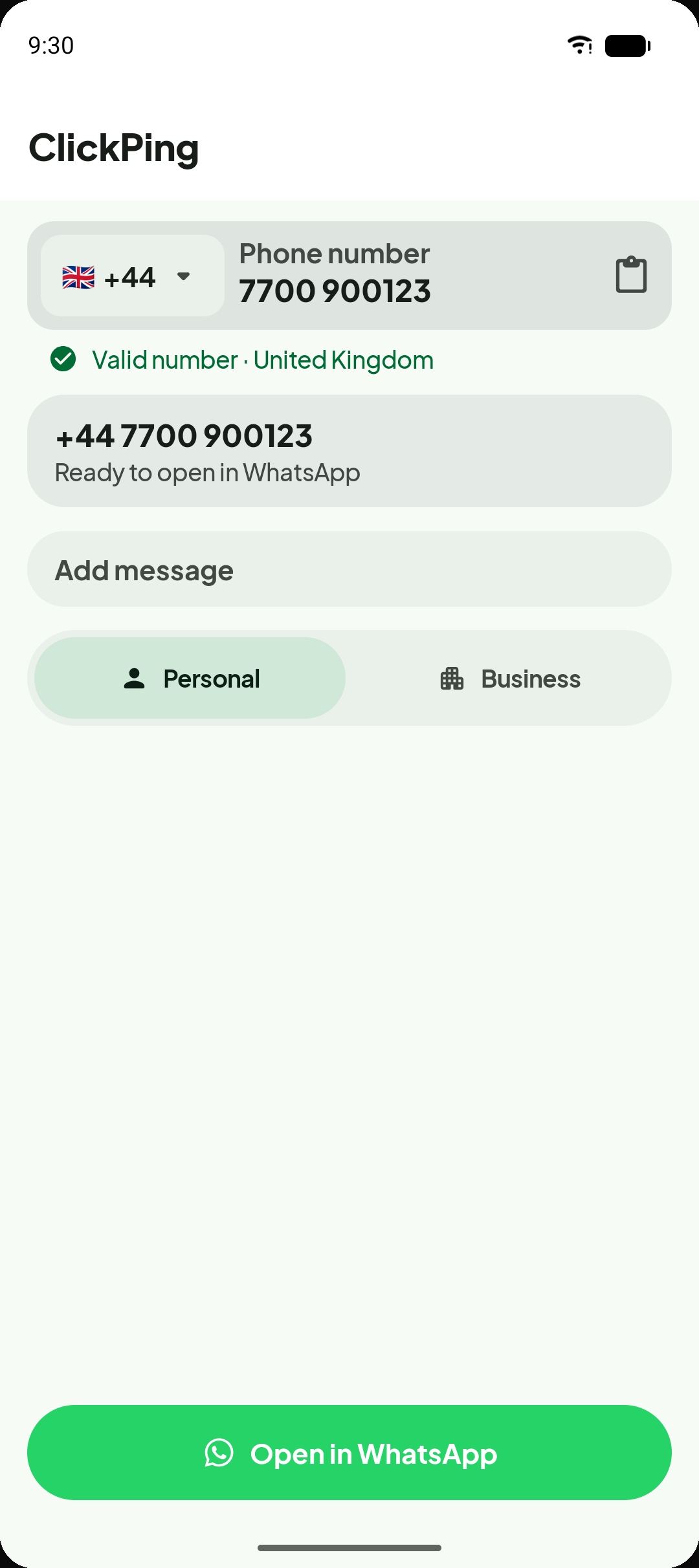
Open a WhatsApp chat with any unsaved number — no contact saved, no number cleaned by hand first.
Features
Built for the moments that matter
Whether you are following up on a one-off enquiry or contacting a delivery driver, ClickPing gets you into the conversation faster.
Chat without saving
Open a WhatsApp conversation with someone new without adding them to your contacts first.
Scan a number with your camera
Point your camera at a business card, flyer, receipt, or shop sign and ClickPing reads the number off it. Recognition happens on your device, and you confirm what it found before anything opens.
Paste any format
ClickPing handles common real-world formatting — local, international, with spaces, dashes, or Unicode digits — so you do not need to clean the number first.
Personal or Business, your choice
Reach WhatsApp Personal or WhatsApp Business with fewer repeated decisions. ClickPing remembers your preference or asks once when both are installed.
Reuse messages, stay in control
Keep optional saved message templates ready for quick re-use. The final message is always yours to review and edit before you send it.
See It in Action
Every step, made simple
From messy numbers to open conversations — see the moments ClickPing handles for you.
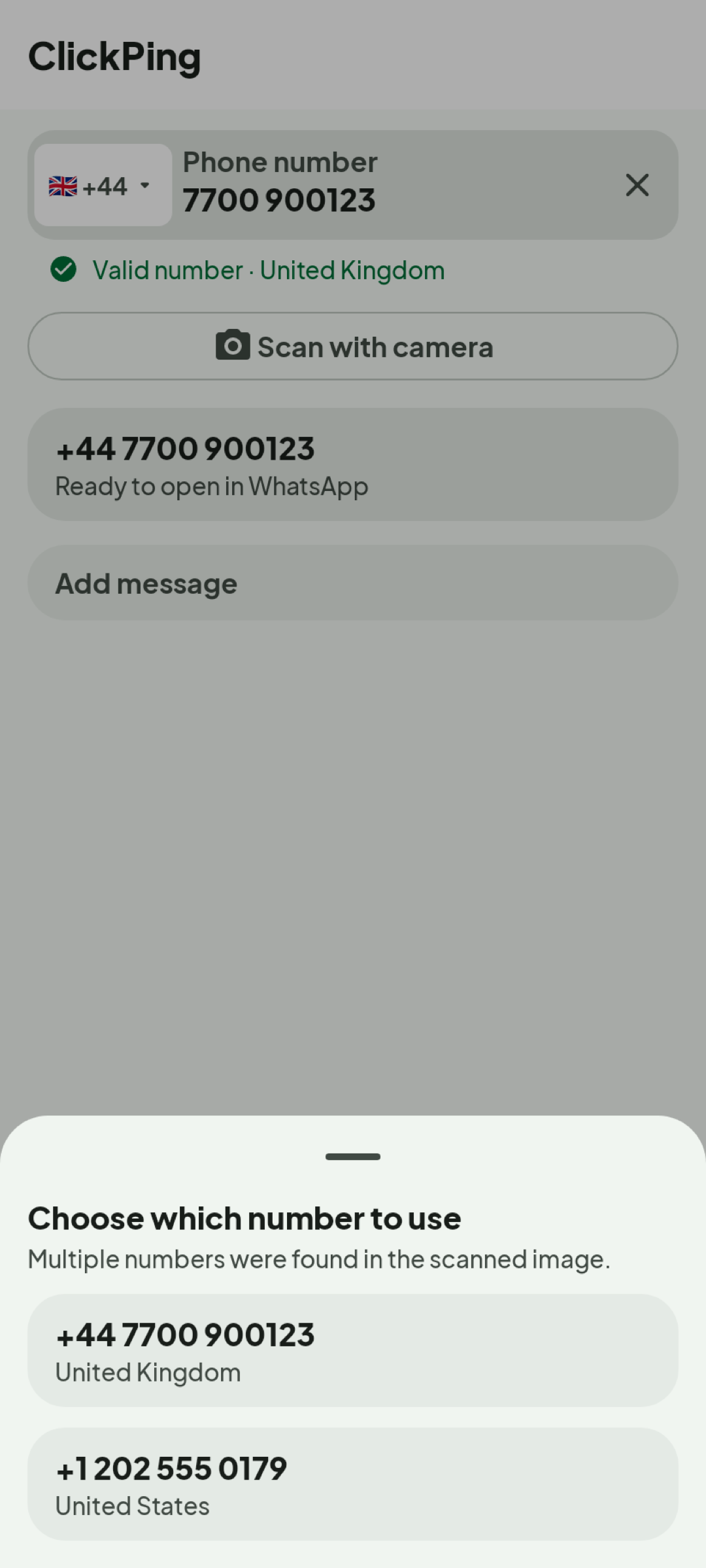
Scan a number off anything printed
Photograph a business card, flyer, or shop sign and ClickPing reads the number on your device. If it finds more than one, it asks which you meant — nothing opens until you confirm.
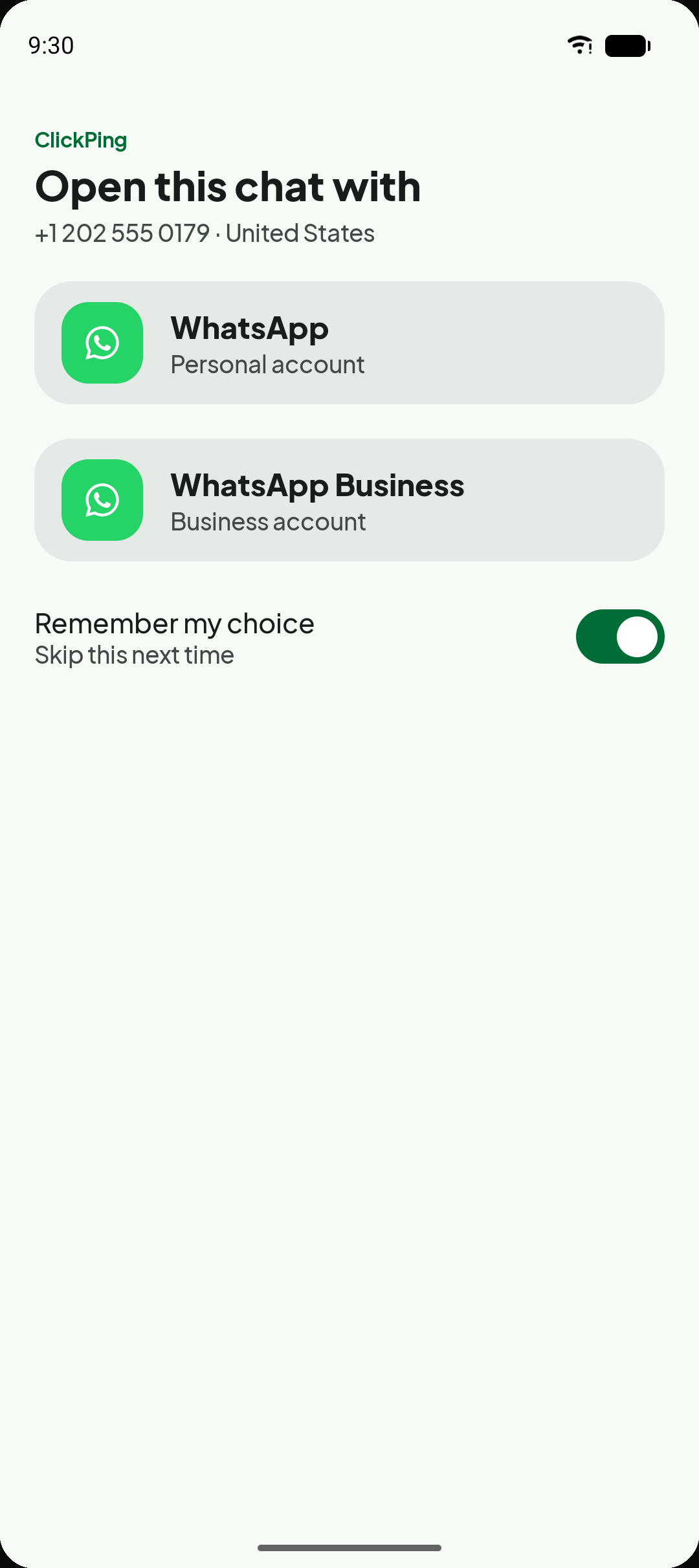
Personal or Business — your choice
When both WhatsApp Personal and WhatsApp Business are installed, ClickPing lets you pick which one to open for each contact.
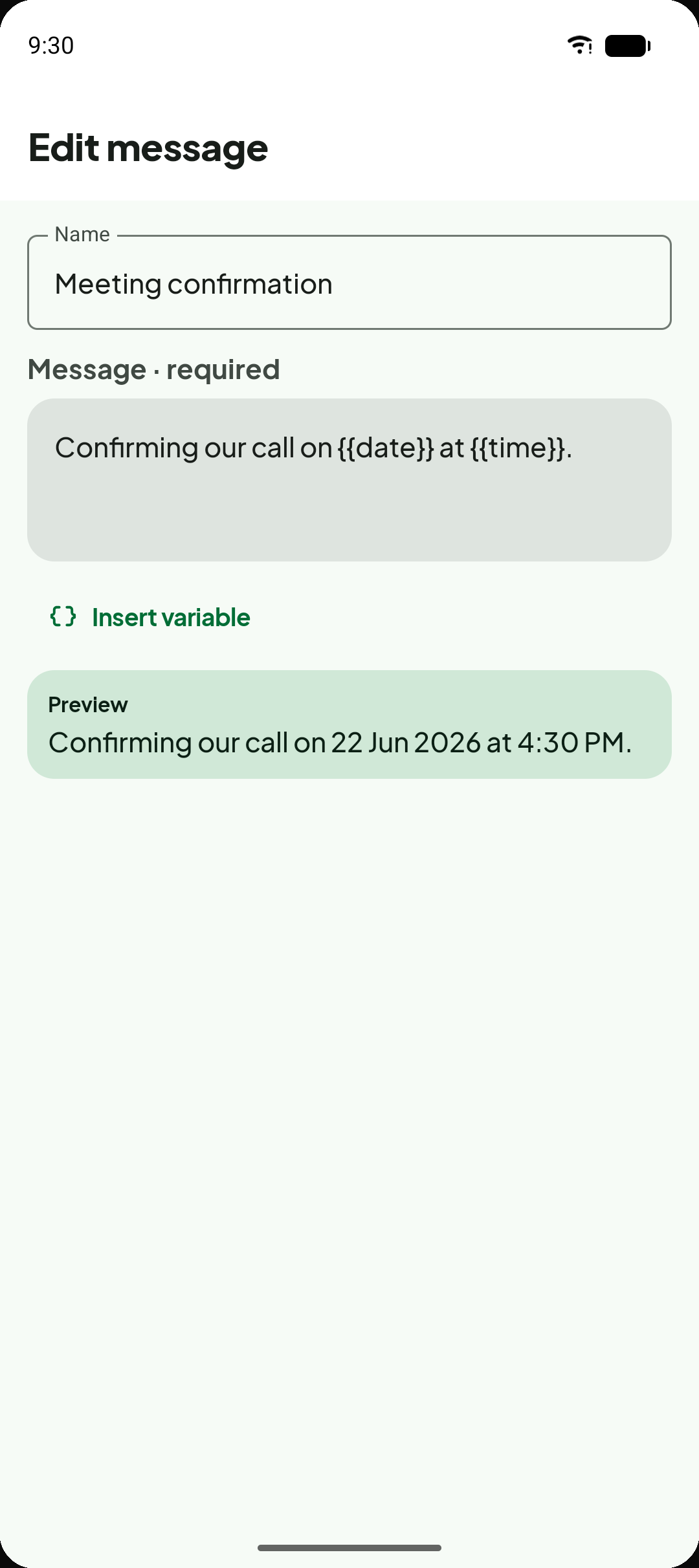
Saved messages with live preview
Write reusable message templates with optional dynamic tokens. The preview updates as you type, and you always review the final text before sending.
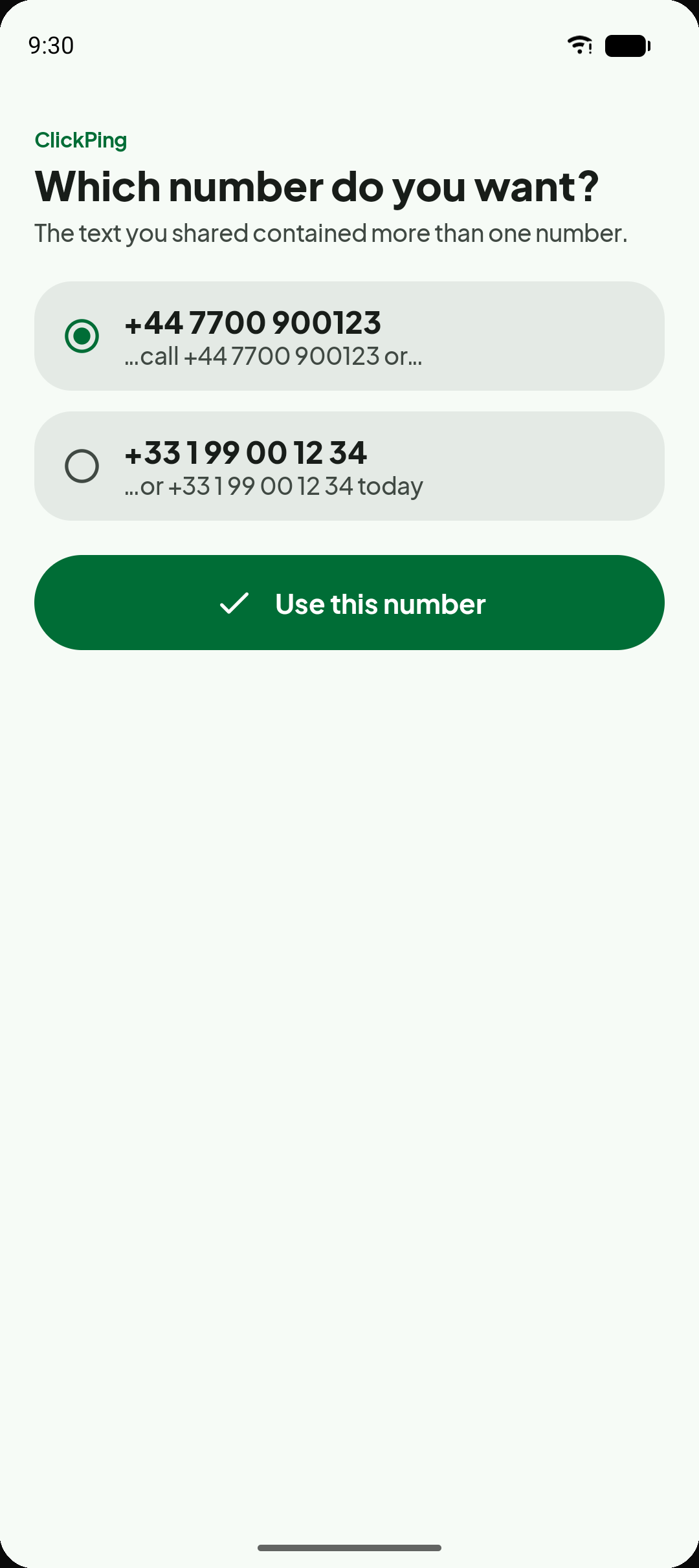
Handles multiple numbers at once
When shared text contains more than one phone number, ClickPing lists them clearly so you can pick the one you need.
Privacy
Designed with your privacy in mind
Your data belongs to you. Here is exactly what ClickPing does and does not do.
Your numbers and messages stay on your device
Phone numbers you enter, messages you type, and saved message bodies are stored locally on your device. We do not collect or receive them.
Camera scans are read on your device
The camera opens only when you tap Scan with camera. The photo is read on your device to find a number, is never uploaded, and is never added to your photo library. ClickPing cannot see your existing photos.
ClickPing opens WhatsApp — that is all
ClickPing hands the number and optional message text to WhatsApp using a standard deep link. It does not read your WhatsApp chats and it never sends messages on your behalf.
No account required
There is no ClickPing account, sign-in, or registration. The app works immediately after installation.
Crash reports and analytics
ClickPing uses Firebase Crashlytics for crash reports and Firebase Analytics for usage analytics, on Android and iPhone. Both are content-free — never your numbers or message text.
FAQ
Frequently asked questions
Start chatting without the friction
Any number, any format — ClickPing handles the cleanup and opens WhatsApp in seconds. No account, no contact saved.