Reusable Message Templates With the Date and Time Filled In
Write a WhatsApp message once, add {{date}} or {{time}}, and reuse it from Saved messages. ClickPing opens the chat with the message ready. No recipients are stored.
Published October 23, 2026 · Last updated October 25, 2026
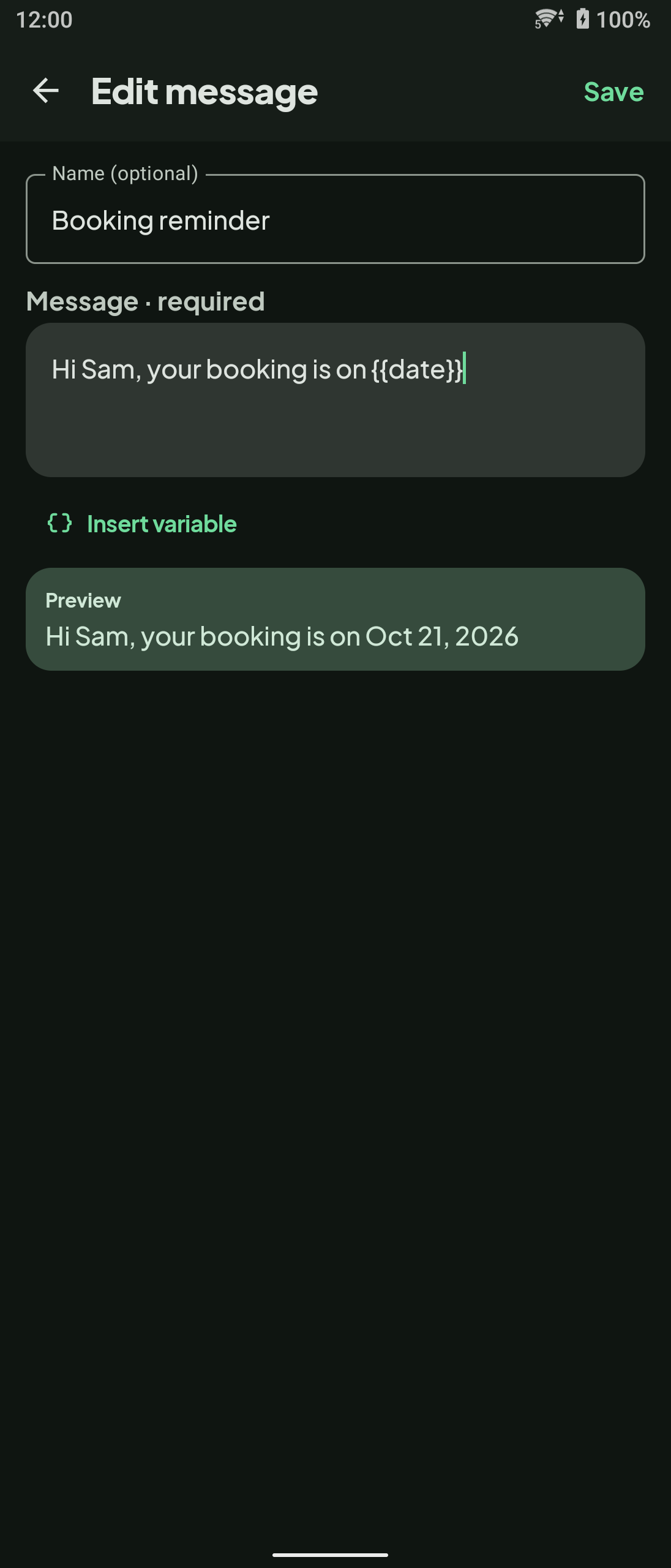
A message that repeats every day with only the date changing is a good fit for a template: a booking reminder, a delivery window or a daily update. ClickPing lets you write the message once, add live variables such as the date and time, and open a WhatsApp chat with it ready. ClickPing is an independent app. Not affiliated with WhatsApp.
Want to message someone without saving their number? ClickPing opens the chat for you without adding a contact. Get it on Google Play or the App Store.
Steps to build a reusable template
- Install ClickPing and open it.
- Open Saved messages, next to the Message box, and add a message. Give it a name if you like; the name is optional.
- Type the message text. Keep the wording you use every time.
- Tap Insert variable where the date or time should go: {{date}}, {{day}}, {{day_month}} or {{time}}.
- Check the Preview under the text. It shows the message with the variable already filled in.
- Save it. When you need it, enter the number and pick the message. ClickPing opens the WhatsApp chat with it ready. Review it and send it from WhatsApp.
How the variables fill in
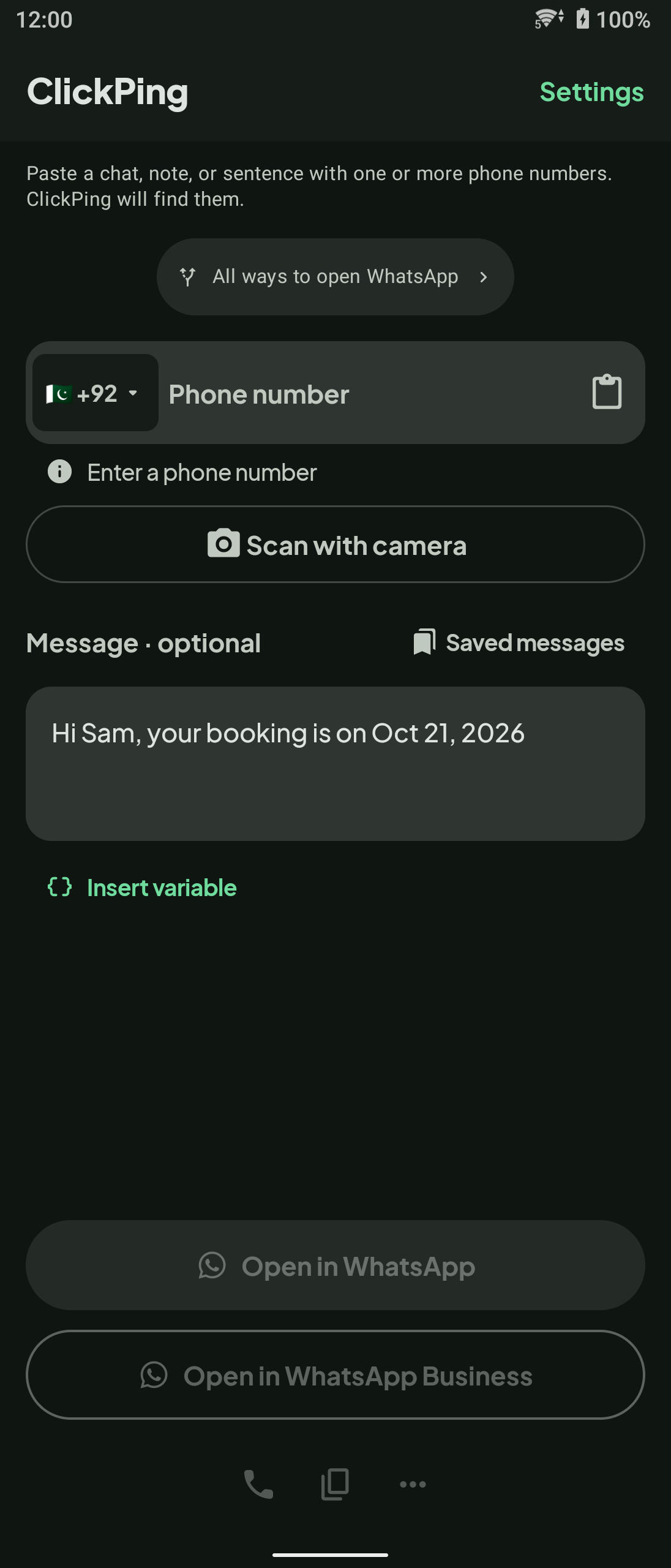
A variable is replaced with the current value when you use the message, not when you write it. In the example, "Hi Sam, your booking is on {{date}}" shows as "Hi Sam, your booking is on Oct 21, 2026" in the Preview and in the Message box. The date and time variables, {{date}} and {{time}}, are listed for both Android and iPhone. The Android listing also names {{day}} and {{day_month}}. The screenshots here are from Android.
One saved message per kind of message
Make a separate saved message for each kind of message you send. Keep the wording the same and let the date or time variable change each time you use it. This keeps the text you reuse in one place, and each message stays short enough to review before you send it. If you want a message to go out at a set time instead, see how to schedule WhatsApp messages on Android.
Why no recipients are stored
A saved message holds your text and its variables. It does not hold a list of recipients. You enter the number each time you open a chat, so there is no contact list to keep up to date, and ClickPing does not keep a list of the numbers you open.
FAQ
- Does ClickPing send the message for me? No. It opens the WhatsApp chat with the message ready, and you send it from WhatsApp.
- Can I send one message to many people? No. ClickPing opens one chat at a time, for the number you enter.
- Are recipients stored with a saved message? No. No recipients are stored.
- Is ClickPing made by WhatsApp? No. Not affiliated with WhatsApp.