How to Send a WhatsApp Message Without Saving the Number
Send a WhatsApp message without saving the number using WhatsApp search, wa.me links, or an app that formats the digits for you — step by step.
Published September 24, 2026
You have a phone number — on a flyer, in an email, in a marketplace reply — and you want one WhatsApp message, not a new contact in your address book. WhatsApp supports that; the friction is usually formatting (country code, punctuation) and finding the right entry point on your phone.
This guide covers send a WhatsApp message without saving the number using
built-in WhatsApp tools, wa.me links, and optionally
ClickPing on Android and iPhone when you would rather not clean
digits by hand.
Can you send a WhatsApp message without saving the number?
Yes. WhatsApp click-to-chat exists for messaging someone who is not in your contacts. Not saving them does not block the chat or notify them that they are “unsaved” — see Will They Know You Didn't Save Their Number?.
What stops you is a malformed number: missing country code, a local leading zero, or punctuation from a web page. Fix the digits (or use a tool that fixes them) and the chat opens like any other.
Start from WhatsApp’s new-chat search
On many recent Android and iPhone builds, open New chat, then type or paste a full number into the search field. If a WhatsApp account exists, you can message that number without adding a phone contact.
Meta documents click-to-chat more clearly than this search path, and layouts vary
by version — treat search as the fastest option when you see it, not a guaranteed
workflow. If it does not offer a chat, use a wa.me link or another method below.
- Open WhatsApp (or WhatsApp Business).
- Tap New chat.
- Paste or type the number with country code.
- If WhatsApp recognises the account, open the conversation and send.
Limitations: the number must be in international shape; if they have no WhatsApp account you get an invite prompt; printed numbers still have to reach the field somehow.
Open a WhatsApp chat with a wa.me link
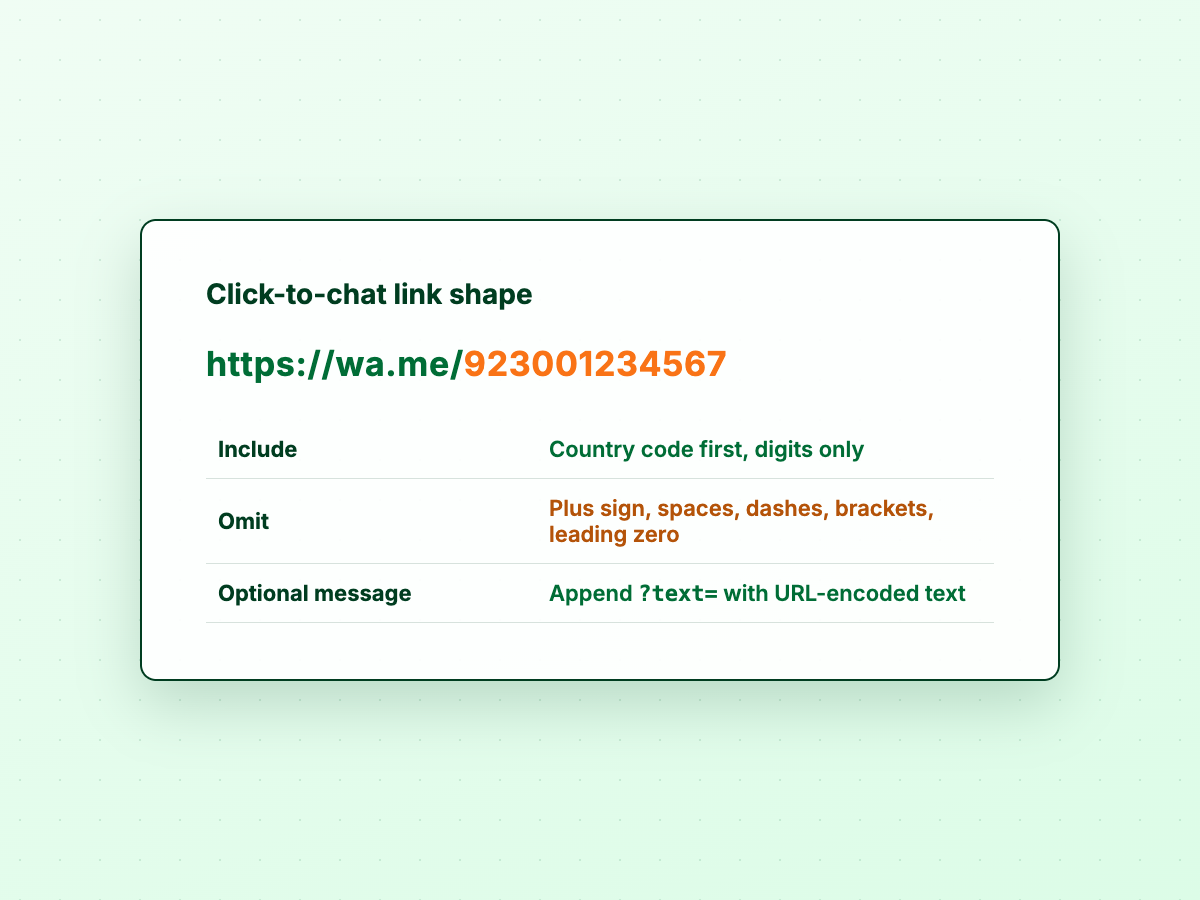
WhatsApp documents:
https://wa.me/<number>
<number> is international format: country code first, digits only — no
plus sign, spaces, dashes, brackets, or leading trunk zero.
| Common mistake | What to use instead |
|---|---|
wa.me/+44 7700 900123 | wa.me/447700900123 |
wa.me/07700 900123 (local UK mobile) | wa.me/447700900123 |
wa.me/(0300) 123-4567 | Drop punctuation; use country code + national number |
Optional pre-filled text: https://wa.me/447700900123?text=Hello (URL-encoded).
WhatsApp puts it in the compose box; you still tap Send.
Wrong links often show “Phone number shared via url is invalid” — usually a link formatting issue, not a need to save a contact. See Phone Number Shared via URL Is Invalid.
On desktop, paste the link in a browser; on phones, bookmark links you reuse.
Save the contact, message, then delete (the old workaround)
The classic workaround: create a temporary contact, message in WhatsApp, delete
the contact. It still works everywhere, but the number may sync to Google or
iCloud and linger in suggestions; saving can also affect Status audience in ways
delete does not fully undo. For a one-off message with a known international
number, a wa.me link is usually less hassle than save-and-delete.
Message an unsaved number on iPhone
Besides search and wa.me, iPhone users often paste a link in Safari (iOS
hands off to WhatsApp or WhatsApp Business) or share text into an app that
extracts phone numbers from a longer message.
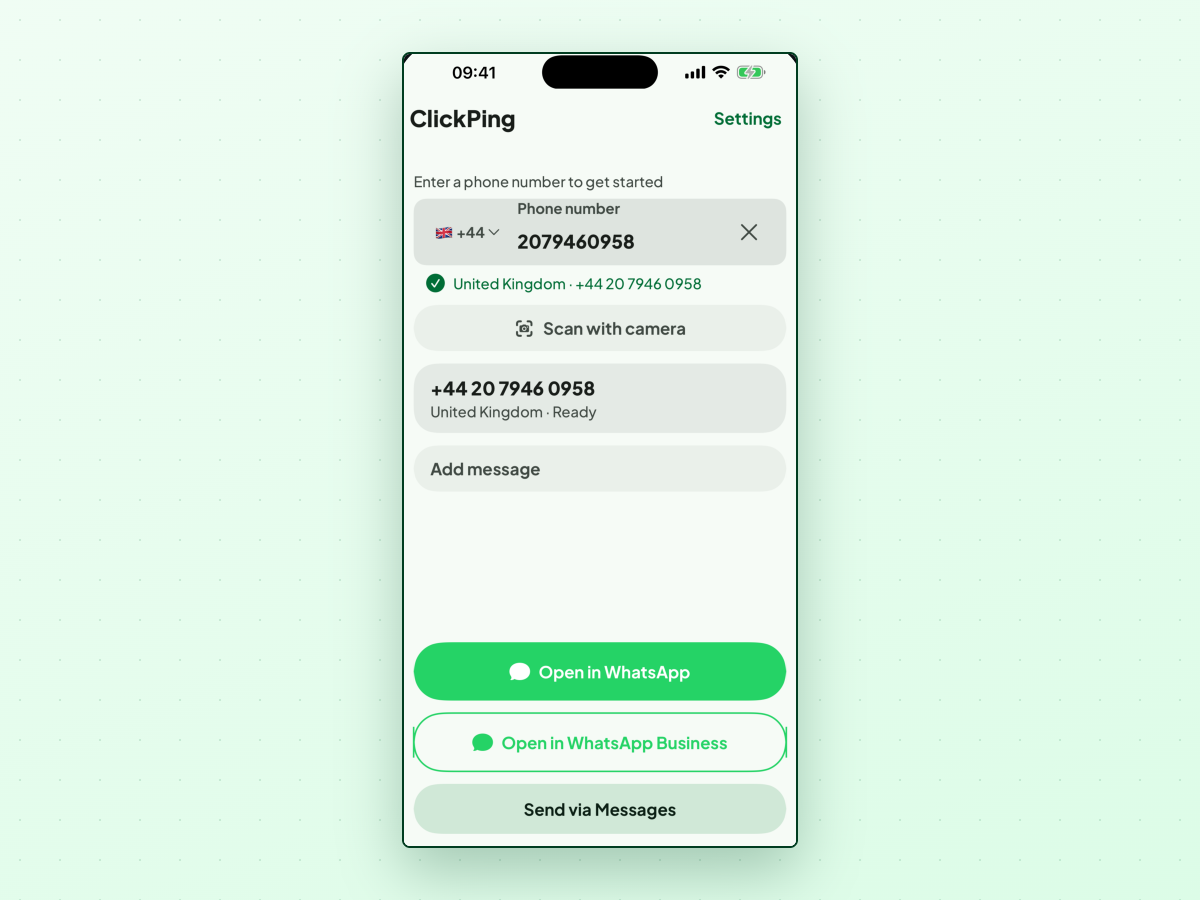
ClickPing on iPhone matches Android: type or paste, share from other apps, or Scan with camera on print. Missing country codes trigger a country confirm; multiple numbers in shared text produce a picker. Shortcuts also exposes Open in WhatsApp with ClickPing for automation; the main app is enough for one-off chats.
Chat with an unsaved number on Android
Beyond search and links, Android may offer handlers when you tap a tel: link on
a page, and Share from another app helps when the number is buried in text.
ClickPing adds share targets for text and images, a Paste number launcher shortcut (long-press the icon), an optional Quick Settings tile, and the same camera scan as iPhone (on-device OCR, no upload). Flow: enter or paste → validation → Open in WhatsApp or Open in WhatsApp Business → review optional text → send in WhatsApp.
Type, paste, or share a number in ClickPing
If you often message WhatsApp unsaved number listings — ads, signs, drivers — reformatting digits gets old. ClickPing is one Android and iPhone option for that job; it is not affiliated with WhatsApp or Meta.
In the shipped apps:
- Type or paste a number, or paste text and let ClickPing find numbers inside.
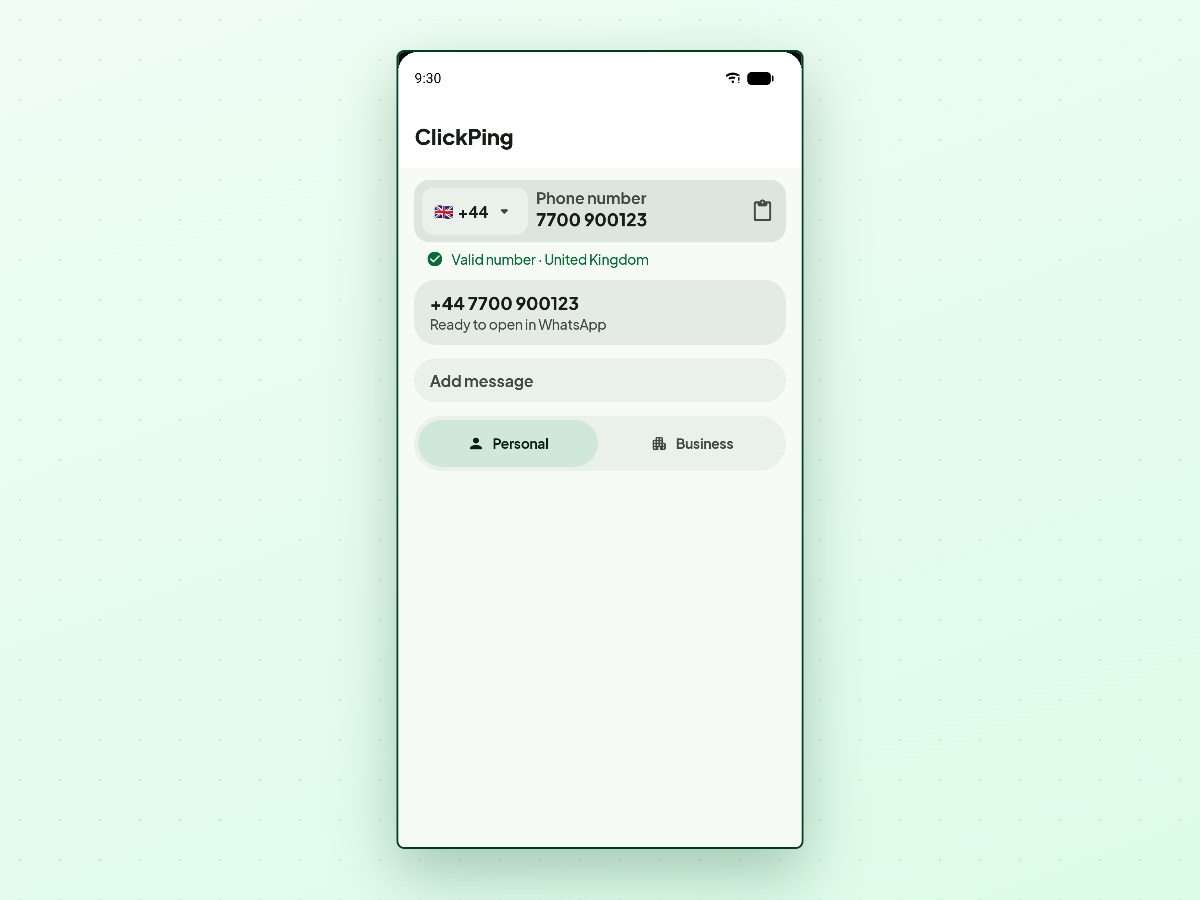
- Validation such as Valid number · United Kingdom when digits match the selected country.
- Scan with camera for printed numbers.
- Open in WhatsApp / Open in WhatsApp Business when both apps are installed (or Personal / Business toggles on some Android layouts).
- Optional Add message with a Ready to open in WhatsApp preview — ClickPing
opens via the same
wa.me-style deep link; it never sends for you. - Settings → Preferred app → Ask each time or a fixed Personal/Business default.
Phone numbers and message text you compose stay on your device — ClickPing does not collect them (content-free crash and usage diagnostics may still use the network). No account required. For privacy when messaging unsaved numbers, see Can Someone See Your Profile Picture If They Haven't Saved Your Number?.
Scan a printed number with your camera
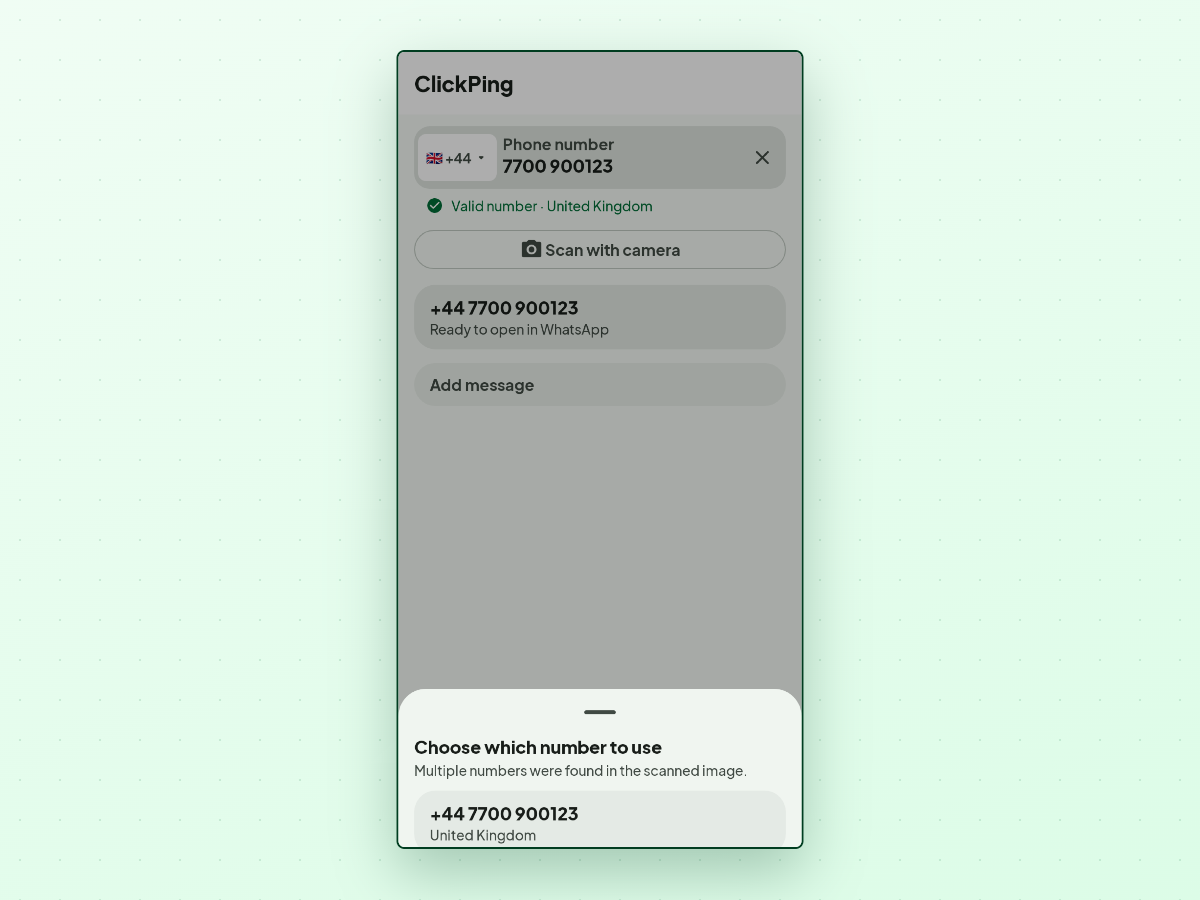
Tap Scan with camera, take a photo, and ClickPing reads numbers on device. More than one match opens Choose which number to use (Multiple numbers were found in the scanned image) — WhatsApp stays closed until you pick.
If OCR fails (glare, blur), you may see No phone number was found in that image or Couldn't read that image. Try a clearer photo. — typing or pasting still works.
Pick WhatsApp or WhatsApp Business
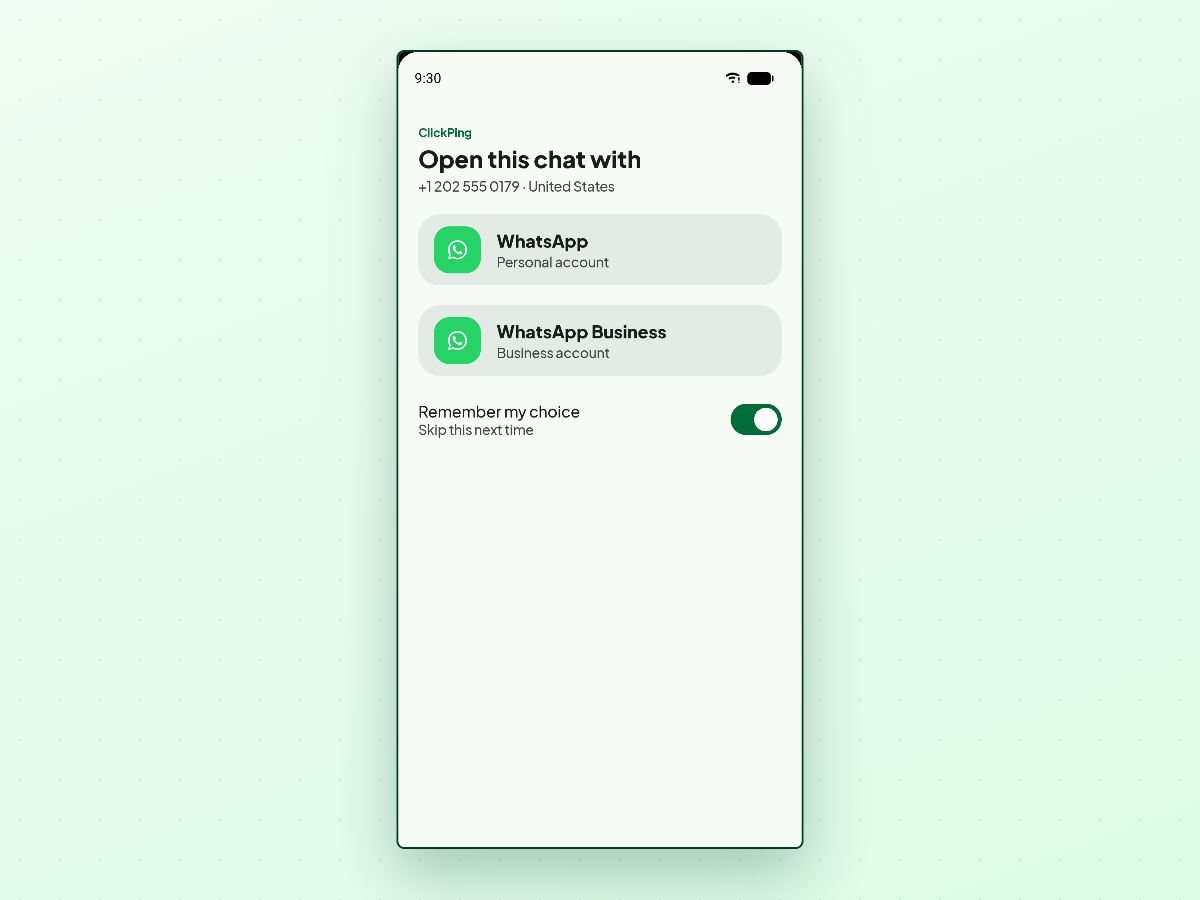
Many phones run both apps. ClickPing shows Personal and Business segments or an Open with sheet (WhatsApp · Personal account, WhatsApp Business · Business account, Remember my choice · Skip this next time). Pin a default under Settings → Opening WhatsApp → Preferred app.
Frequently asked questions
Do I have to save a contact to message them on WhatsApp?
No. Click-to-chat links and, on many phones, new-chat search work without saving. Saving is convenience, not a requirement.
What is the difference between wa.me and api.whatsapp.com?
Both are official click-to-chat patterns. https://wa.me/<digits> is the short
form most people share; https://api.whatsapp.com/send?phone= uses the same digit
rules. A + or spaces in either format triggers the invalid-URL error.
Why does WhatsApp say the phone number shared via URL is invalid?
Usually rejected characters — plus sign, spaces, punctuation, or a local number with a leading zero instead of a country code. Rebuild with digits only; see the troubleshooting article linked above.
Can I message an unsaved number on WhatsApp iPhone without a third-party app?
Yes. Use a correct wa.me link or new-chat search when your WhatsApp version
shows it. iOS has no system-wide “WhatsApp without saving” control beyond those paths.
Does ClickPing send the message automatically?
No. ClickPing opens WhatsApp with the chat and optional pre-filled text; you tap
Send inside WhatsApp — same as ?text= on a wa.me link.
If you often open WhatsApp chat with number contacts you will never call again,
a wa.me template or ClickPing for formatting and scans can save
time without cluttering your contacts list.