Compress PDF to 2 MB on Android and iPhone
Portal limits a PDF to 2 MB? On Android, ResizePing Pro lets you type 2 MB. Free, pick a level and check the estimate before you save.
Published October 23, 2026 · Last updated October 27, 2026
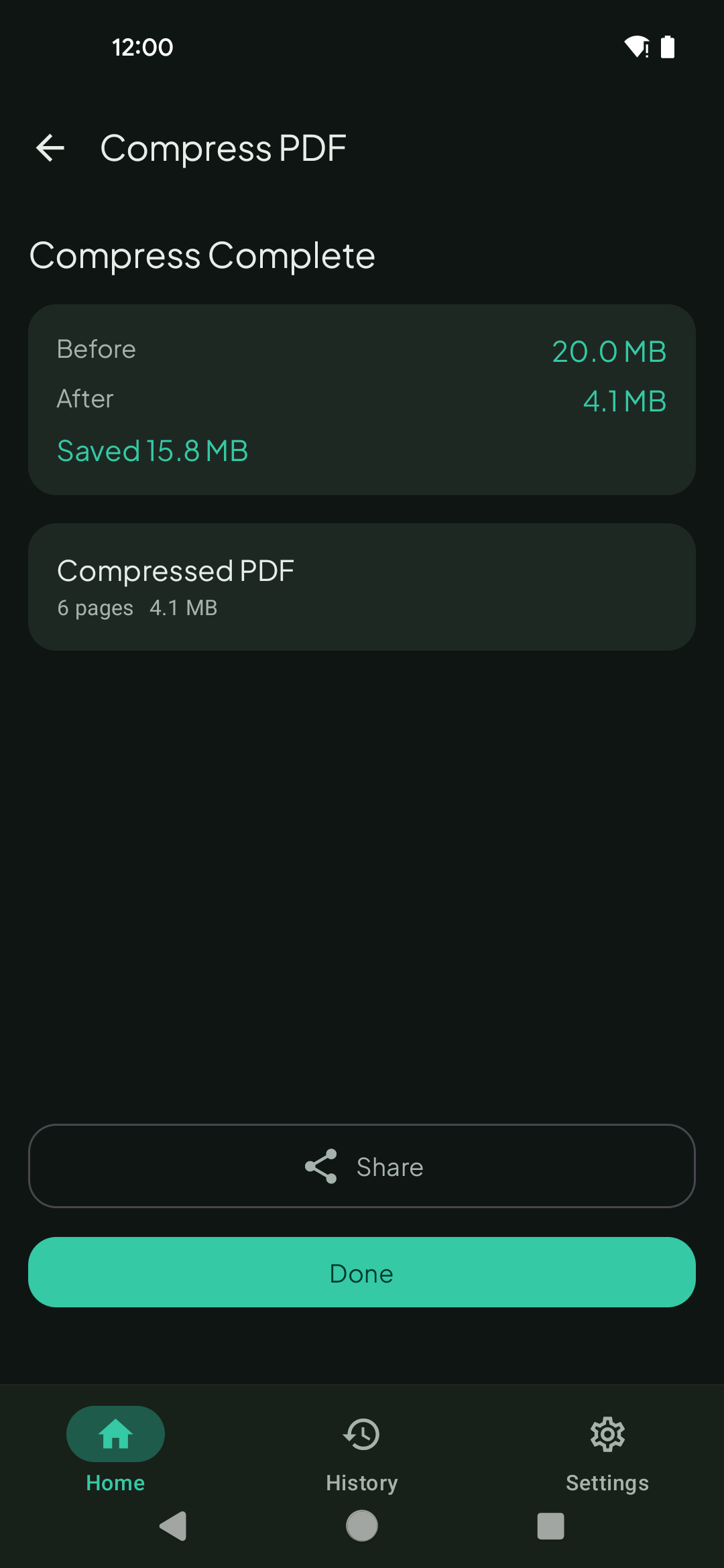
To compress a PDF to 2 MB on Android, open it in ResizePing and type the size you want. The exact-size target is a Pro feature. Without Pro, choose a compression level, read the estimated size and compress. On iPhone, ResizePing compresses with the same three levels.
Need a smaller PDF? ResizePing compresses PDFs on your phone. Get it on Google Play or the App Store.
Steps
The screenshot is from Android.
- Install ResizePing, tap Select PDF, and pick the PDF.
- In What do you want to do?, choose Compress PDF.
- Android with Pro: choose Custom size, enter 2 and pick MB.
- Free, Android or iPhone: pick a Compression level. Balanced and Best quality keep more detail, and Smallest gives the smallest file.
- Check Estimated output before you save.
- Tap Compress. The Compress Complete screen shows the size before and after.
If it won't go that small
A 2 MB limit is easy for most PDFs. A scan of many full-page photos can still be bigger. If the size you typed is lower than the PDF can reach, ResizePing says so and shows the smallest size it can get.
- Split the PDF so you keep only the pages the form needs, then compress again.
- Re-scan at a lower resolution, then compress the new file.
What to know
- Never uploaded to our servers.
- The sizes in the screenshot are for a sample file. Results depend on what is inside your PDF.
FAQ
- How do I compress a PDF to 2 MB? On Android, open the PDF in ResizePing, choose Compress PDF, pick Custom size, enter 2 and choose MB. That target is a Pro feature. Free, use the compression levels and check the estimated size.
- Which free level should I use for 2 MB? Start with Balanced or Best quality, which keep more detail, and read the estimate. If it is still over 2 MB, use Smallest.
- Can I type a target size on iPhone? On iPhone, compress with the Smallest, Balanced or Best quality levels and check the estimate.
- Is the custom size free? No, it is a Pro feature. The compression levels are free.
- Does it upload my PDF? No. Never uploaded to our servers.
Related
- ResizePing
- Other sizes: Compress PDF to 500 KB, Compress PDF to 300 KB, Compress PDF to 1 MB, Compress PDF to 200 KB, Compress PDF to 100 KB and Compress PDF to 50 KB