Compress PDF to 1 MB on Android and iPhone
Need a PDF under 1 MB? Many scans only need light compression. On Android, ResizePing Pro lets you type 1 MB. Free, pick a level and check the estimate.
Published October 27, 2026
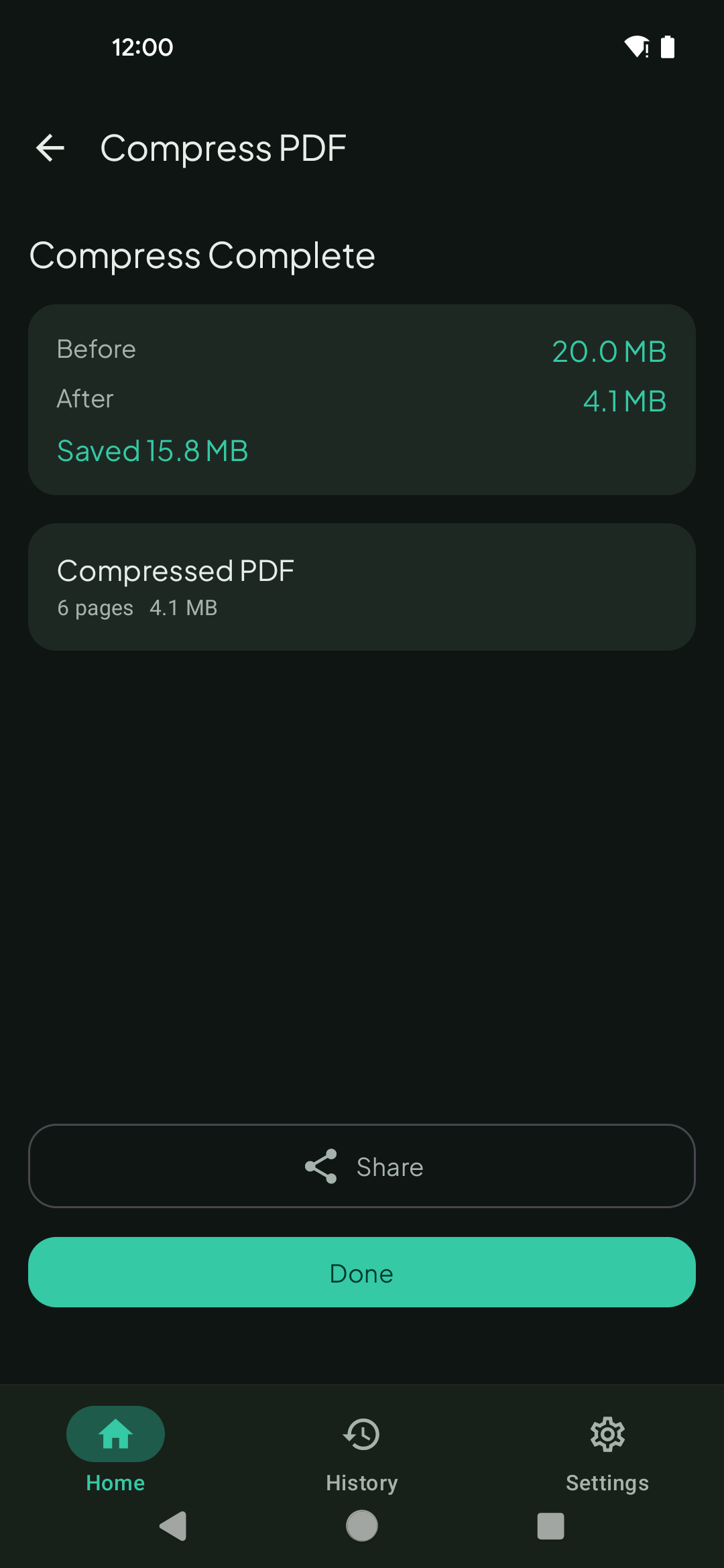
To get a PDF under 1 MB on Android, open it in ResizePing and type 1 as the size in MB. The exact-size target is a Pro feature. Without Pro, 1 MB is a roomy limit, so a lighter level such as Best quality or Balanced may already be enough: pick one, read the estimate and compress. iPhone uses the same three levels.
Need a smaller PDF? ResizePing compresses PDFs on your phone. Get it on Google Play or the App Store.
Steps
The screenshot is from Android.
- Open ResizePing, tap Select PDF and choose your file.
- Under What do you want to do?, pick Compress PDF.
- Android with Pro: pick Custom size, type 1 and set the unit to MB.
- Free, Android or iPhone: under Compression level, start with Best quality.
- Read Estimated output. If it is still above 1 MB, switch to Balanced, then Smallest.
- Tap Compress. Compress Complete shows the size before and after.
Keeping quality at 1 MB
1 MB is a common cap for email attachments and portal uploads, and it leaves room to keep a document readable. Go from the lightest level up, and stop at the first one whose estimate fits.
- Best quality keeps the most detail. Try it first.
- Balanced gives up some detail for a smaller file. Use it if Best quality is still over 1 MB.
- Smallest is the last step. A phone scan of a few pages may fit before you need it.
- With Pro, typing 1 MB lets ResizePing aim at the size for you, so you do not have to step through levels.
Check text and signatures in the saved file before you send it.
When 1 MB is out of reach
If the PDF cannot get that small, ResizePing tells you and shows the smallest size it can reach. A long scan of full-page photos is the usual cause. Two ways forward:
- Split the PDF into parts and compress each one, or keep only the pages the form needs.
- Re-scan at a lower resolution and compress the new scan.
1 MB vs the other sizes
1 MB is twice 500 KB and a little over three times 300 KB. Pick the page for the size your form asks for:
- 500 KB: Compress PDF to 500 KB
- 300 KB: Compress PDF to 300 KB
- 200 KB: Compress PDF to 200 KB
- 2 MB: Compress PDF to 2 MB
What to know
- The PDF is never uploaded to our servers.
- Free levels give an estimate, not a typed target, so you may land well under 1 MB.
- Sizes in the screenshot are for a sample file. Your result depends on what the PDF contains.
FAQ
- Is 1 MB the same as 1000 KB? Roughly. Some tools count 1 MB as 1024 KB, so aim a little under if a form is strict.
- Which level should I try first? Best quality, then Balanced, then Smallest. Stop at the first estimate that fits.
- Can I do this on iPhone? Yes, with the Smallest, Balanced and Best quality levels. There is no typed target on iPhone.
- Do I need Pro to hit 1 MB? Typing an exact size on Android is a Pro feature. The compression levels are free.
- Does it upload my PDF? No. It is never uploaded to our servers.
Related
Related guides
- Reduce PDF file size on Android
- Split a PDF on Android
- Merge PDF files into one
- How to Compress a PDF on iPhone to a Set Size
On a computer
On a computer instead? Ping Tools Lab has browser versions: Compress PDF to 1 MB, Compress PDF to 200 KB and Compress PDF to 100 KB.