How to See Deleted Messages on WhatsApp (Android): Notification History
How to see deleted WhatsApp messages on Android: what a notification log can show, and what it cannot. It only works from the moment you turn it on.
Published October 23, 2026 · Last updated October 26, 2026
If a sender deleted a WhatsApp message and you still need what it said, your notification history may be the only place left. RecallPing is an Android notification log: from the moment you give it notification access, it saves the notifications your phone receives. If a message notification arrived while access was on, its text may still be in the log even if the sender deleted the message later. RecallPing does not recover deleted chats, and it cannot show anything from before access was granted. Not affiliated with WhatsApp.
Want to keep a searchable log from now on? RecallPing saves your notifications on your phone. Get it on Google Play.
Steps to find a deleted message in your notification history
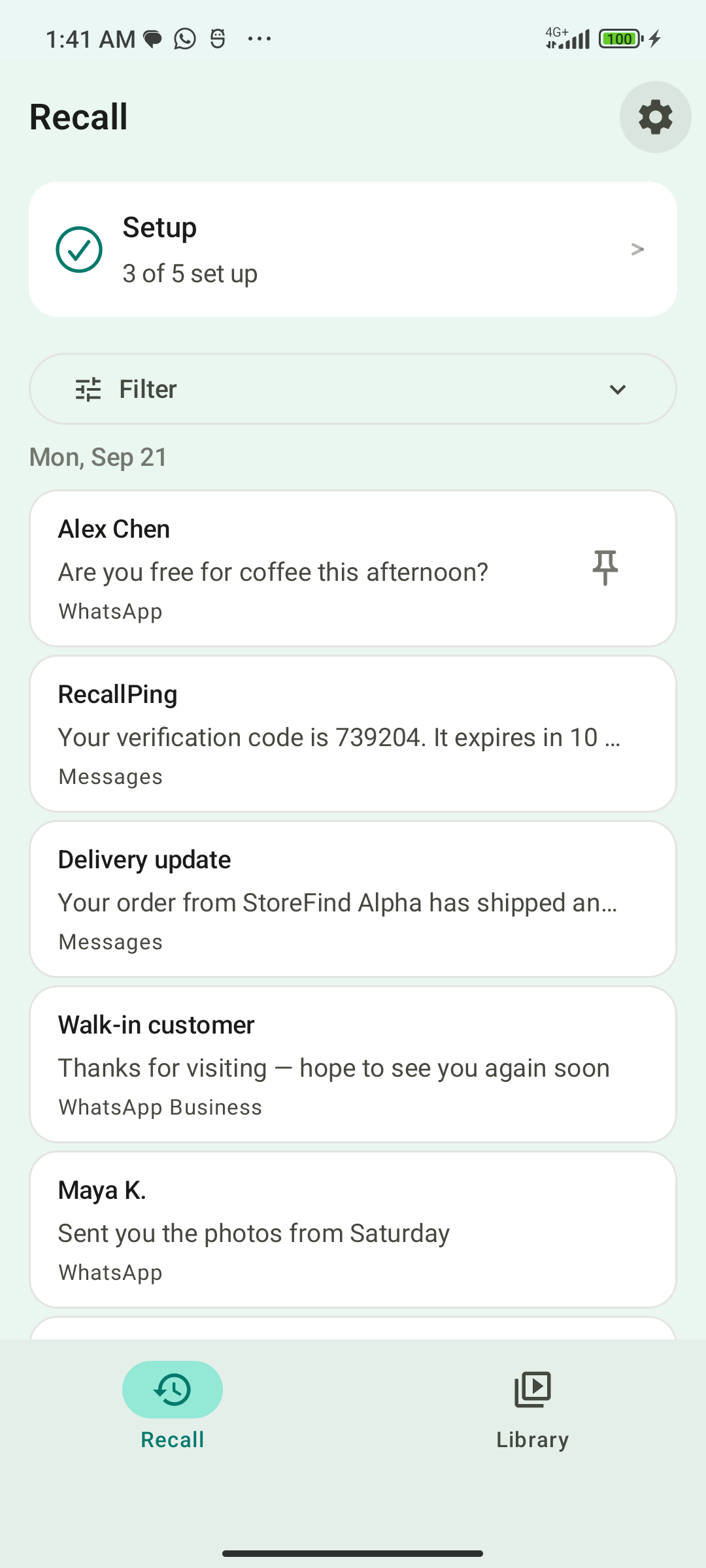
- Install RecallPing on your Android phone and open it.
- Grant notification access. Capture starts from that moment, with no past history.
- Leave notifications on for the chats you care about, so Android posts the alerts RecallPing can log.
- When a message disappears, open RecallPing and search for a word or the sender's name.
- Filter by app, date, type (Money, Orders, Work and more) or tap Codes to find verification codes.
- Read the saved text inside RecallPing. Reading your history never opens the source app; only the Open button does.
Can you read deleted WhatsApp messages?
Only going forward. Once notification access is on, RecallPing can catch the text of new messages whose notification arrived, so if the sender deletes one later, you can still search the log for what it said. A message deleted before you turned access on cannot be read, and neither can one that never showed as a notification (for example, the chat was open). For a longer explanation, see recover deleted WhatsApp messages without a backup.
What gets logged and what does not
The plain limit: this works only going forward, from the moment you turn notification access on. A message deleted before that, or one that never showed as a notification, cannot be seen. To check whether your phone recorded recent alerts before you installed a log app, see our guide to notification history android.
RecallPing uses only Android notification access. It needs no account login, no accessibility permission, and no SMS or contacts permission. It saves the text of a notification into a private database on your phone when Android delivers it.
If the app never posts a notification (the chat is open, or it is muted in that app), nothing is logged. Notifications Android delivers silently (silent mode, low-priority channels) are still logged.
Search and sort
Search the log by word, quoted phrase, or terms combined with AND, OR and NOT. Prefix search works too, for example bank*. You can filter by app, date, type (Money, Orders, Work and more) or tap Codes to find verification codes. If a sender edits a message, RecallPing shows what it said before.
Keep what you need
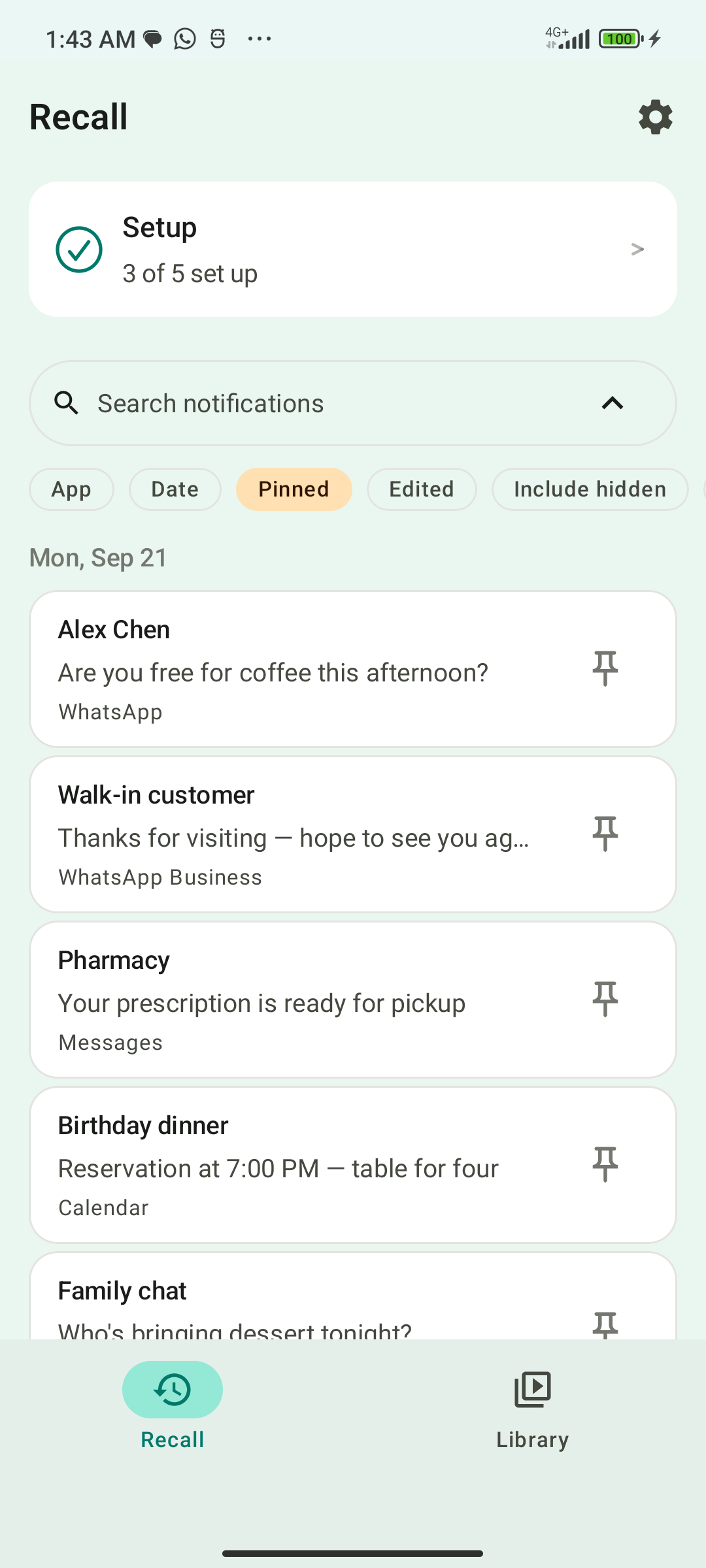
Notifications are kept for 30 days. Pin one and it is kept past that window. Hide rules (by app, keyword or quiet hours) keep noisy senders out of the log; they hide items from the log and do not silence your phone. An optional app lock (fingerprint, face or device PIN) protects what you have saved.
If capture stops
Notifications that arrive while capture is stopped cannot be recovered. If you expect something to be there, open the Setup screen: it shows a reconnecting status with a Check button.
Where your notifications are kept
Notification text is stored in a private database on your phone. RecallPing uses the internet only for ads and Firebase crash and usage diagnostics, and notification text is never part of those requests.
FAQ
- Can RecallPing recover a deleted WhatsApp chat? No. It keeps the text of notifications it captured while access was on.
- Can I see messages from before I installed it? No. It starts when you turn notification access on.
- What if I had the chat open? Then the app posted no notification, so nothing was logged.
- Does reading the log open WhatsApp? No. Only the Open button does.
- How long is a notification kept? 30 days, or longer if you pin it.
- Is there an iPhone version? No. RecallPing is Android only.
- How do I see deleted messages on WhatsApp on Android? Turn on notification access in RecallPing before the message arrives. If its notification arrived while access was on, search the log for its text. Messages deleted before that cannot be seen.
- Can I read deleted WhatsApp messages? Only the text of notifications RecallPing captured while access was on. See recover deleted WhatsApp messages without a backup.
Related
Related guides
- Recover Deleted WhatsApp Messages Without a Backup on Android: What Is Possible
- WhatsApp Notification History on Android: See Message Alerts You Cleared
- Instagram Deleted Message Notification on Android: What You Can Still See
- Android Notification History: See Old and Cleared Notifications
- Notification History Not Saving on Android? How to Fix It
- How to Find a Verification Code You Swiped Away on Android
- How to Search Old Notifications on Android by Keyword
- How to Keep an Important Notification on Android
- See the Original Text of an Edited Message on Android