A Free WhatsApp CRM for Small Business: Track Leads and Follow-Ups
Your leads already live in WhatsApp. LeadPing is a simple free WhatsApp CRM for Android: save numbers, add notes and labels, set follow-ups and reuse message templates.
Published October 27, 2026
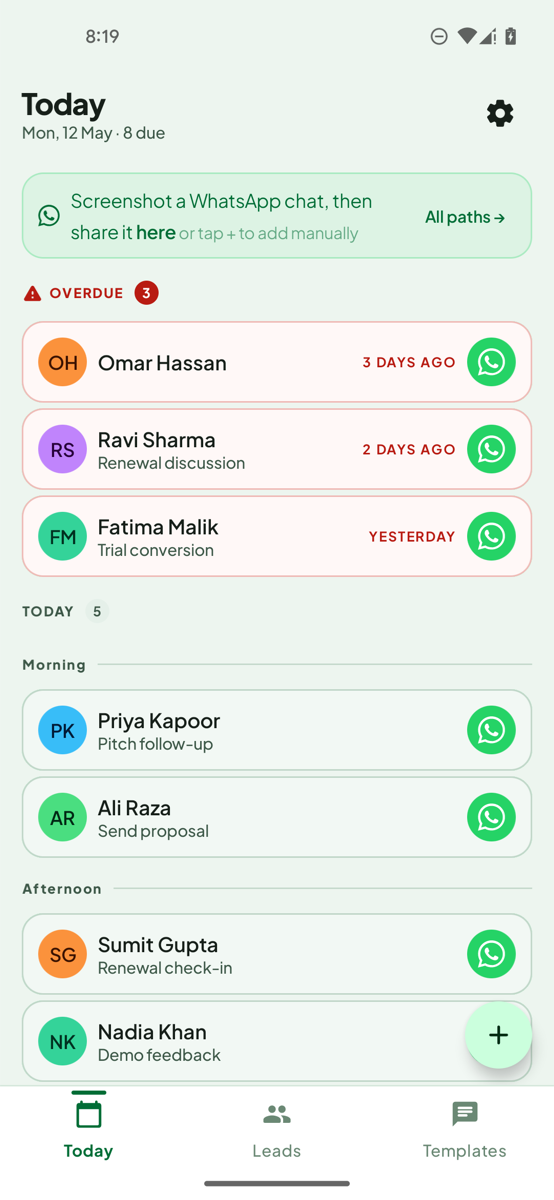
A WhatsApp CRM keeps track of the people you message: who they are, where things stand and when to get back to them. LeadPing is a free one for Android. Save a number, add a note and a label, set a follow-up, and open the chat from the reminder. It is built for small businesses that close deals in WhatsApp, not for big sales teams.
Stop losing leads in your chat list. LeadPing is a simple WhatsApp follow-up CRM for Android. Get it on Google Play.
Why a chat list isn't a CRM
Leads arrive in WhatsApp, get buried under newer chats, and you forget who needed a reply. A spreadsheet works until you stop updating it. A full CRM is often more than a one-person business wants to set up. LeadPing sits in between: a lead list and a follow-up reminder, nothing more to configure.
What it tracks
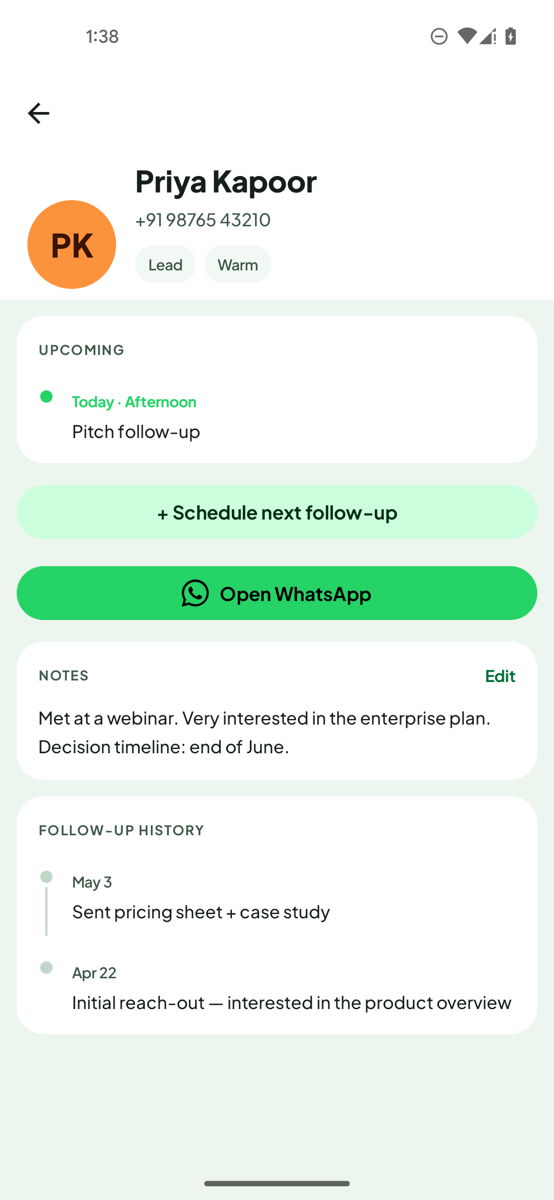
- Leads. Save any WhatsApp number as a lead. The number is all you need. The name is optional.
- Notes. Write where things stand.
- Labels. Sort leads with colour labels and filter the list.
- Follow-up history. See every follow-up you scheduled with a person.
- Today view. See who you need to follow up with today.
Add leads the way they arrive
- Paste a number or type it in.
- Share a number or a block of text to LeadPing from another app.
- Scan a screenshot of a chat and select the numbers you want.
- Pick from your contacts, or import a CSV.
LeadPing keeps these numbers outside your phone contacts. See how to extract phone numbers from text.
Follow-ups that open the chat
Set a follow-up on a lead, one-time or recurring. When it is due, the notification has an Open WhatsApp button that takes you into that chat, with your message already typed if you added one. LeadPing never sends the message for you. It opens WhatsApp or WhatsApp Business.
Message templates
Save the messages you send again and again, and pick one when you schedule a follow-up. Templates can use variables such as {{name}}, which fill in for each lead.
A simple follow-up template:
Hi {{name}}, following up on our recent conversation. Do you have any questions I can help with?
For more wording ideas, see WhatsApp Business follow-up message examples.
What "free" includes
LeadPing is free to use, with a small banner ad. The free version keeps up to 100 numbers, 30 active follow-ups, 10 templates and 10 labels. LeadPing Plus is an optional subscription that removes ads and lifts the limits.
Good to know
- LeadPing is for Android. Your saved numbers, notes and follow-ups stay on your device, with no account.
- It is a lightweight follow-up tool. It is not a team CRM with shared pipelines.
- You can export your leads to CSV any time.
- LeadPing also has an optional AI assistant that uses your own key. It shares your leads with the AI provider you choose, and only when you ask it a question.
FAQ
- Is there a free WhatsApp CRM? LeadPing is free to use on Android, with limits on numbers, follow-ups, templates and labels.
- Can I use it with WhatsApp Business? Yes, it can open a chat in WhatsApp or WhatsApp Business.
- Do I need to save leads as contacts? No. Leads stay in LeadPing, outside your contacts.
- Does it send messages automatically? No. It opens the chat and you press send.
- Is it a follow-up app? Yes, that is its main job: reminders with an Open WhatsApp button.