How to Manage WhatsApp Leads Without a CRM
Manage WhatsApp leads without a CRM with labels, spreadsheets, dated reminders, and a copyable stage list — plus LeadPing as one simple tracker option.
Published September 24, 2026
Short answer: You can manage WhatsApp leads without a CRM if every warm conversation gets three things written down somewhere you will actually open again: who they are, what the next step is, and when you promised to take it. WhatsApp alone rarely stores all three, which is why leads go quiet even when you are replying quickly.
That gap shows up most for solo professionals — coaches, designers, trades, consultants, and other one-person shops where WhatsApp is the inbox, the quote thread, and the handshake. A full CRM or WhatsApp Business API stack can make sense later; it is often heavier than you need on day one. The workable middle ground is WhatsApp lead management light enough to keep current: a little structure, dated follow-ups, and a weekly glance so nothing warm slides to the bottom of the chat list.
Why warm leads leak in WhatsApp
Three leak points repeat:
- Buried chats. A good thread drops below group noise and new inquiries.
- No recorded next step. You agreed to “send the quote tomorrow” in your head; the chat only shows what was already said.
- No reminder tied to that step. Stars, labels, and spreadsheets can hold a name — they do not reliably surface Tuesday’s follow-ups on Tuesday.
Fixing it means choosing a place outside the scrollback for the next action and the date — even if that place is a notes app you already use.
WhatsApp Business labels for leads (and their limits)
If you run WhatsApp Business, Labels tag chats — for example New customer or Pending payment. They live on the thread you are already in and help you sort the inbox.
They do not replace dates (a label is not “ping me Thursday”) or a roll-up of “everyone waiting on a quote this week.” Starred or pinned chats help you find important threads faster but share the same limit: no due date and a crowded list fast.
For many freelancers, labels plus a dated reminder per hot thread is the whole system. Keep label names aligned with your stage names (see below) so you are not maintaining two vocabularies.
Track leads on WhatsApp with a spreadsheet or notes app
A spreadsheet (or a simple table in Notion or similar) is the classic simple lead tracker for small business work:
| Column | Example |
|---|---|
| Name | Aisha Khan |
| WhatsApp number | +92 300 … |
| Stage | Quoted |
| Next step | Send revised scope |
| Follow-up date | 2026-09-27 |
Strengths: you see everyone at once and filter by stage. Weaknesses: nothing nudges you on the day unless you add reminders, and mobile entry is slow on site.
Phone reminders or calendar events per lead work well if the title states the reason (“Follow up — send March availability”), not just the name.
Calendar and clock reminders before you add an app
Before installing anything, try this minimum WhatsApp follow-up reminder loop:
- At the end of a good chat, write one line: what you will send or ask.
- Create a calendar event or reminder for the day you agreed on.
- When it fires, open WhatsApp, search the name or number, send.
That is often enough for fewer than a dozen active conversations. Past that, manual events usually give way to a sheet or a purpose-built tracker.
When a full CRM is worth it
Step up when you need shared ownership across several people, multi-channel history, reporting, or integrations that feed contacts automatically. If none of that is true yet, a CRM mostly adds login overhead. A small system you touch daily beats a large one you avoid.
Manage WhatsApp leads with LeadPing
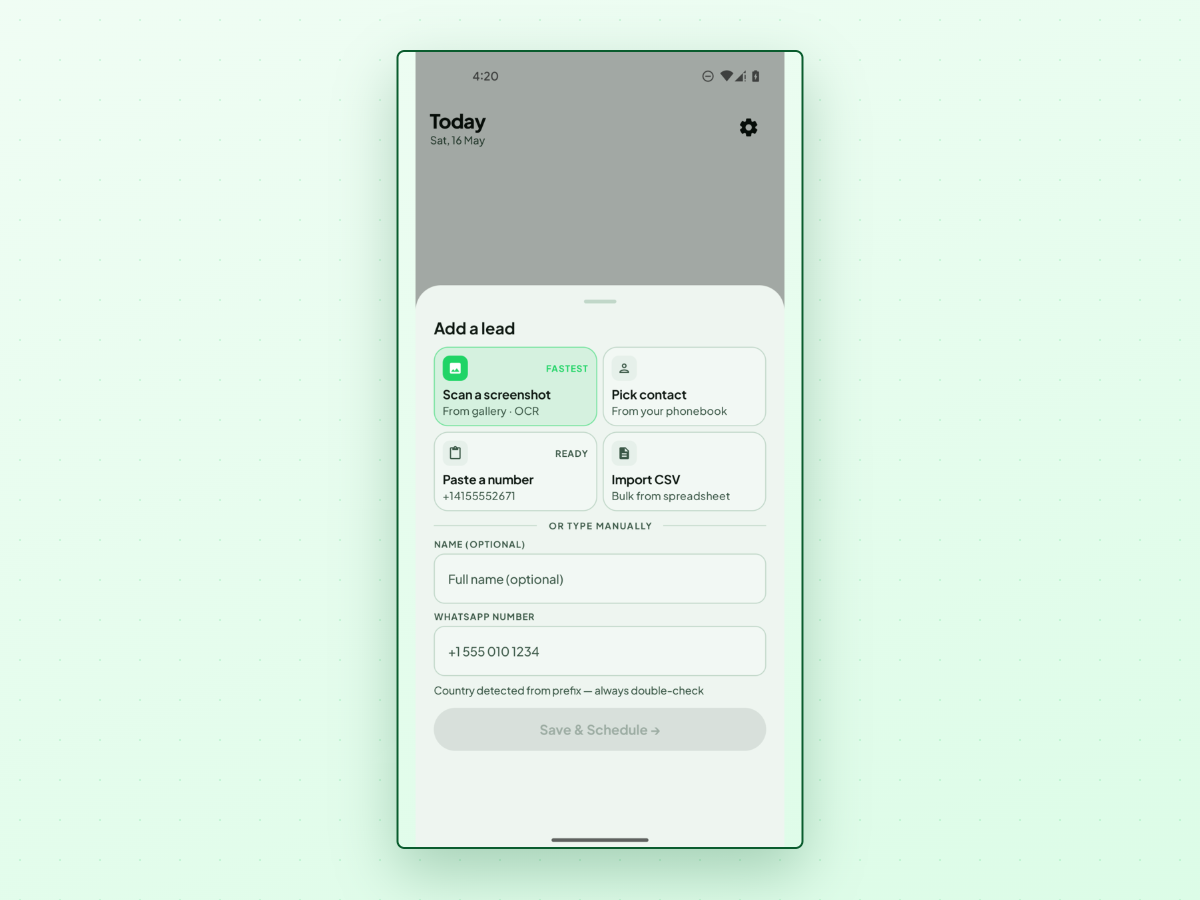
LeadPing is one option when labels and spreadsheets slip: a local-first lead tracker for WhatsApp-shaped work — save the lead, attach a short note, schedule a follow-up, and open the right chat when it is due.
Typical flow:
- Add a lead — from a shared screenshot, typed number, contact pick, or CSV import.
- Schedule a follow-up — date preset, time of day, optional note or template.
- Act from Today — see overdue and upcoming items, tap through to WhatsApp, and send yourself.
LeadPing supports custom labels in Settings (app labels, not WhatsApp Business labels). It is not a CRM: no shared pipeline board or team seats. On Android, you can also Create Schedule for a saved lead with Repeat and Tap to Send or Auto Send (setup-dependent). Data stays on your device — no account login — on Android and iPhone.
For tone, see How to Follow Up on WhatsApp Without Being Annoying. If notifications are off, follow-ups still appear in the app. On Android, exact-alarm permission affects how precisely reminders fire.
Track leads on WhatsApp in one searchable list
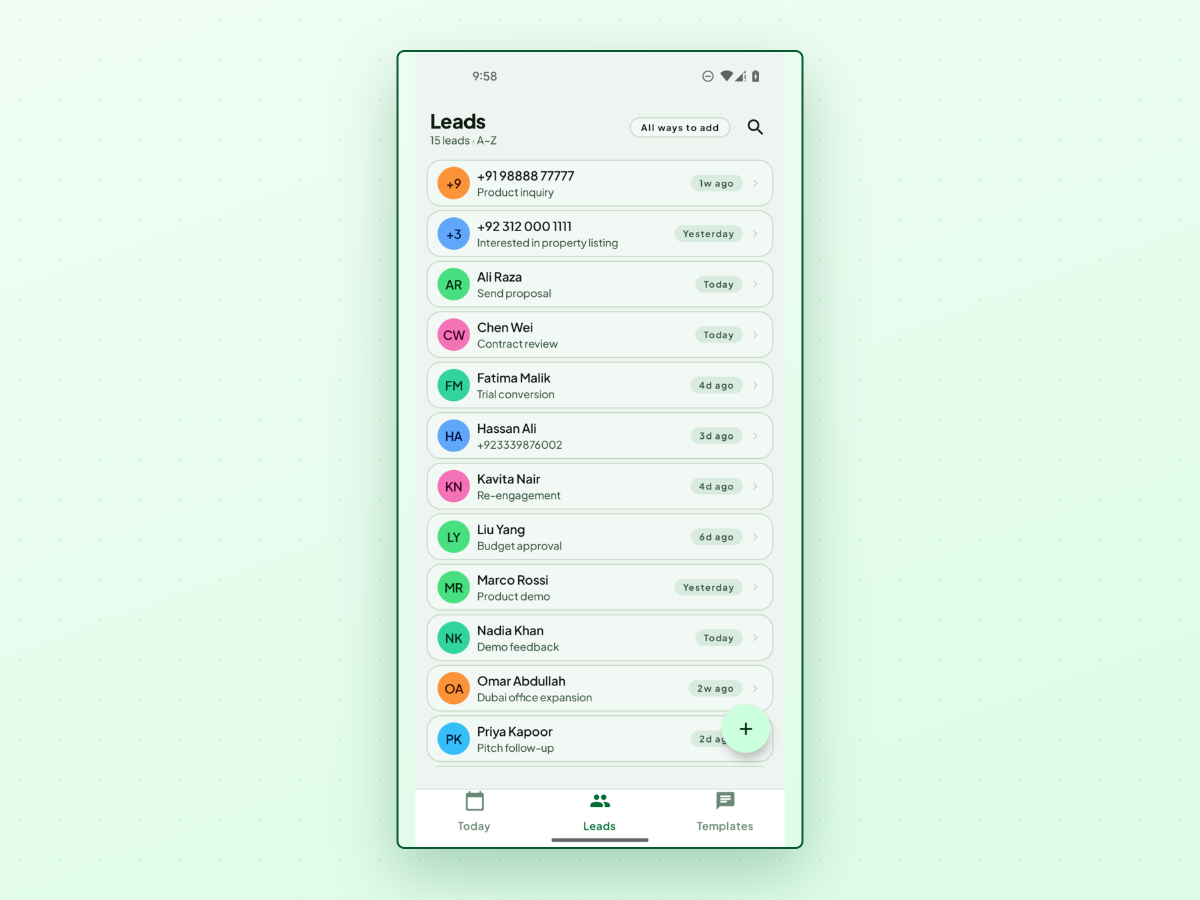
The Leads tab rolls up everyone you saved: search by name or number and scan follow-up hints (Today, Tomorrow, Overdue, and similar). Use it in your weekly review to catch rows with no next date.
Set a WhatsApp follow-up reminder with a date and time
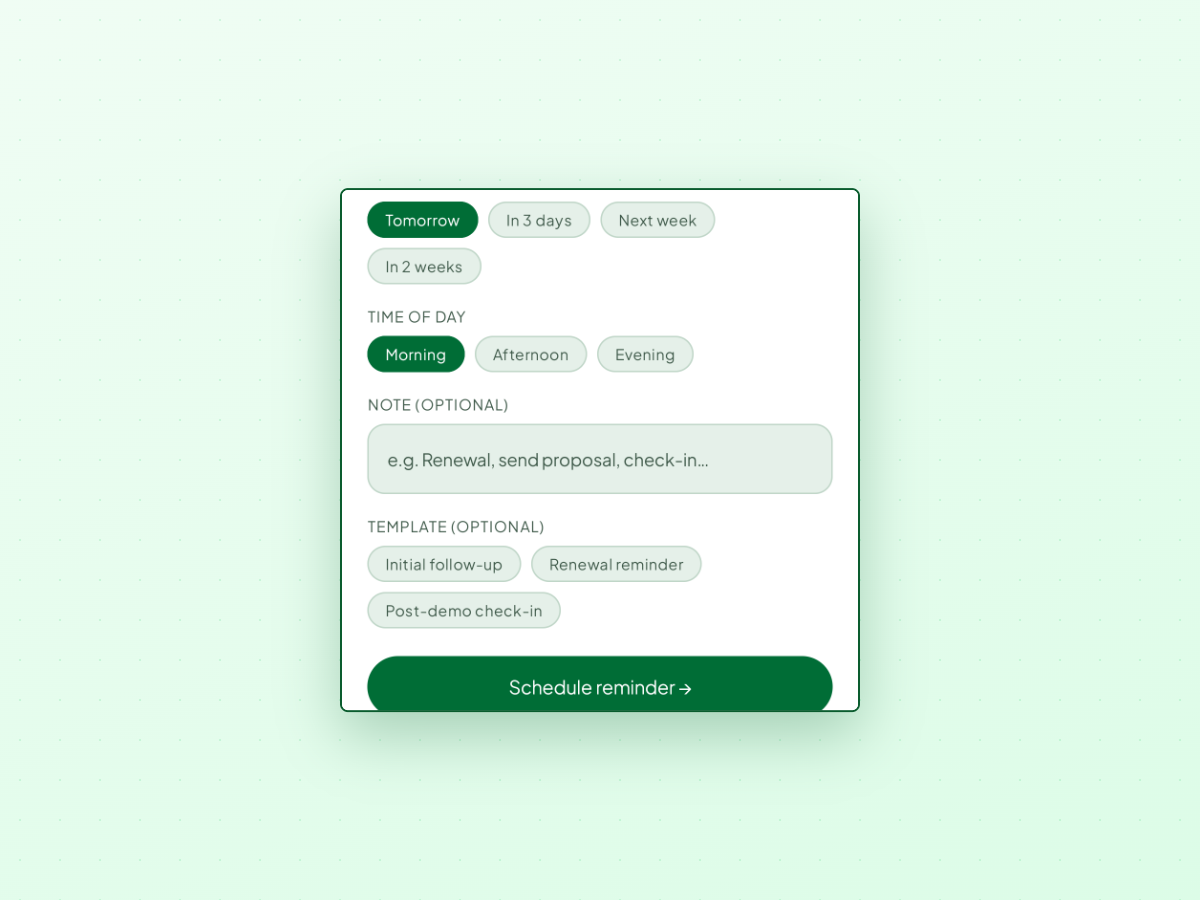
Date chips: Tomorrow, In 3 days, Next week, In 2 weeks. Time of day: Morning, Afternoon, Evening, with custom date and time in the same flow. Optional note or templates such as Initial follow-up or Renewal reminder. The date-and-time follow-up sheet above is a one-off reminder; use Create Schedule on Android when you need a repeating send with optional Auto Send.
Use the Today tab to see who is due now
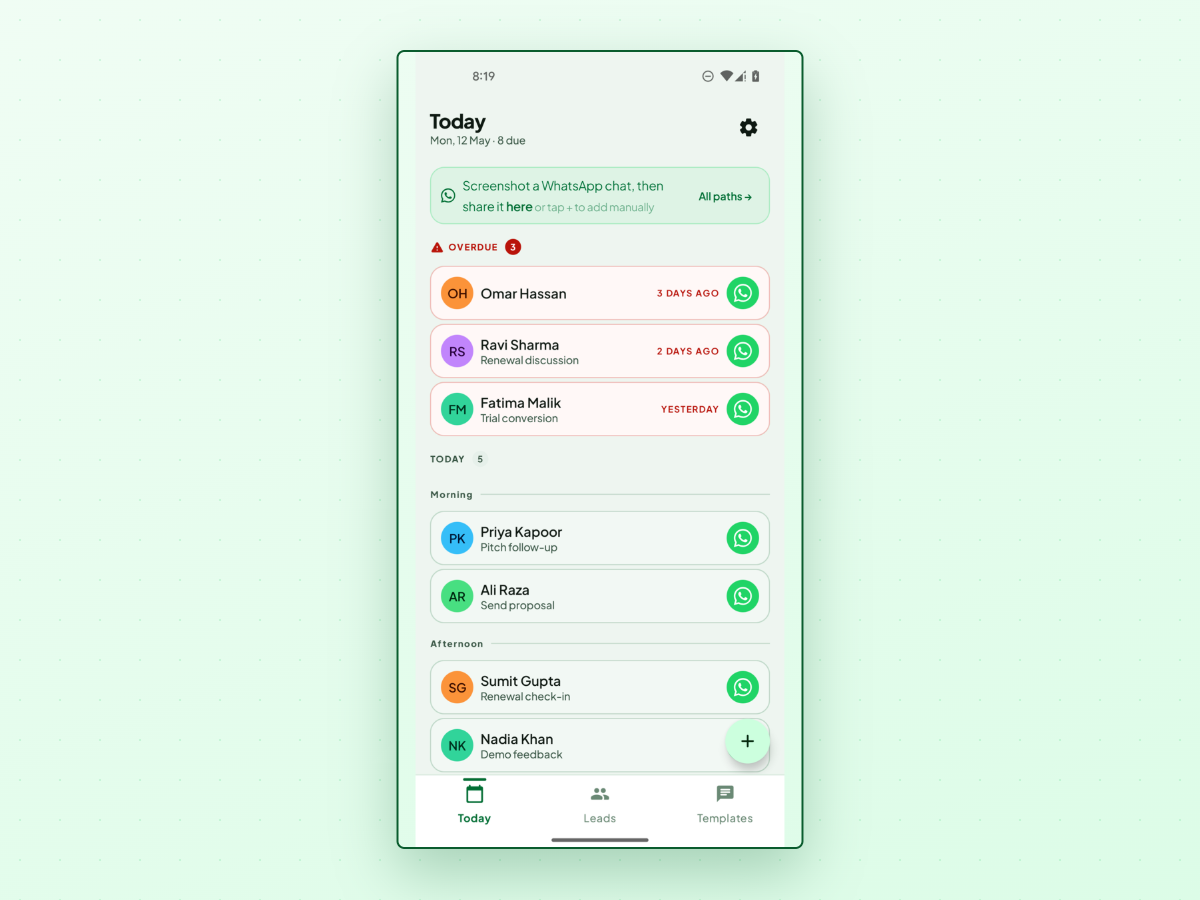
Today surfaces Overdue, same-day work, and upcoming items, often in Morning, Afternoon, and Evening groups. Each row opens WhatsApp; the number does not have to be saved in your contacts.
A simple lead-stage scheme you can copy
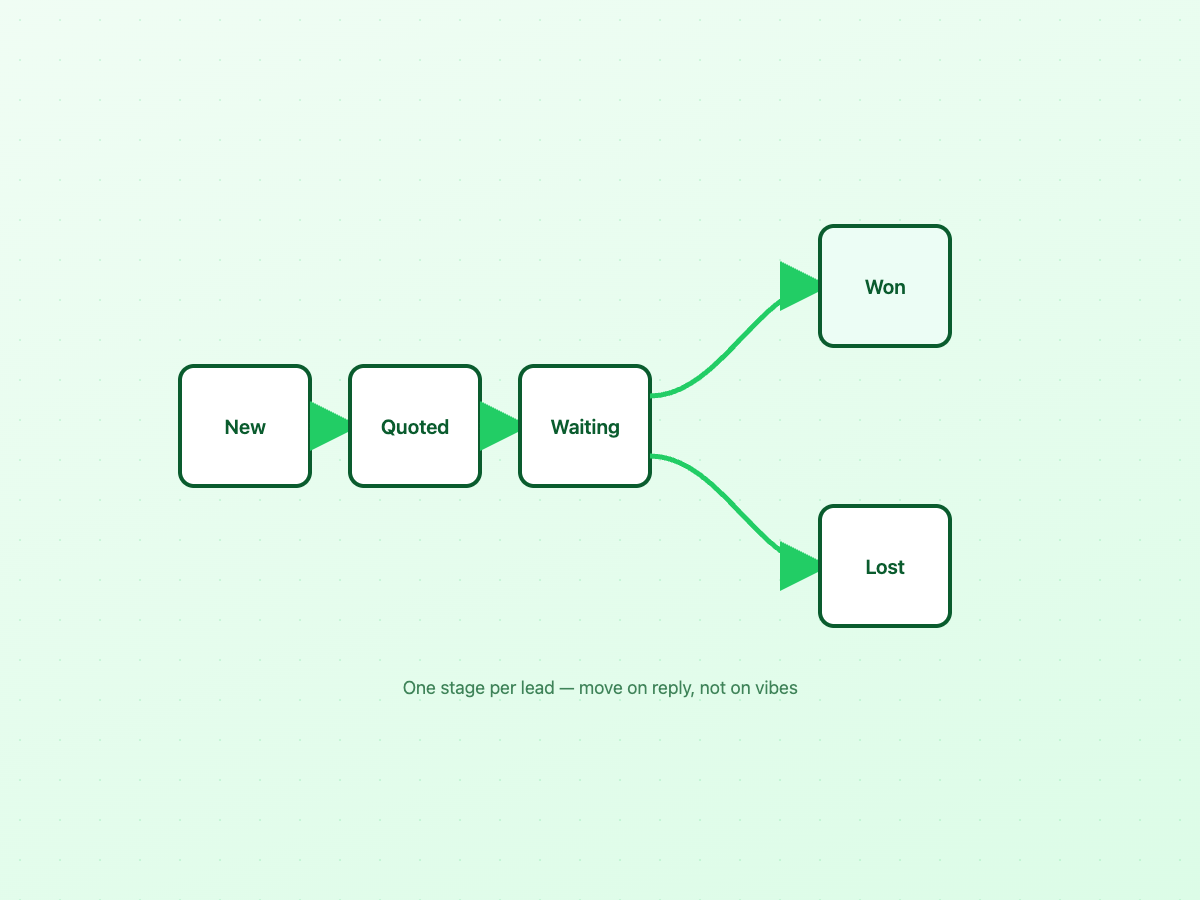
You do not need twenty stages. Five are enough for most WhatsApp-led sales:
| Stage | Meaning | Typical next step |
|---|---|---|
| New | First contact; you know little yet | Qualify or send intro material |
| Quoted | Price or proposal shared | Confirm receipt, answer objections |
| Waiting | Ball in their court (or yours, with a date) | Hold until agreed date, then nudge |
| Won | They said yes | Onboarding, invoice, delivery handoff |
| Lost | Declined or gone silent after close-out | Archive; optional polite close message |
Copy that table into a spreadsheet, map it to WhatsApp Business label names, or create matching labels inside LeadPing. Move someone only when facts change — a new message, not guilt.
A weekly review checklist for WhatsApp lead management
Block fifteen minutes once a week:
- Overdue first — Today’s overdue section, or past dates in your sheet. Reply, reschedule, or mark lost.
- This week’s dated follow-ups — Confirm each still makes sense.
- “Waiting” stage — Anyone idle more than two weeks without a date gets a new date or a polite close-out.
- Unlabeled / no-next-step chats — Skim WhatsApp for warm threads that never made it into your tracker.
- Won handoffs — Archive or label won leads so they do not clutter active follow-ups.
Frequently asked questions
Do I need a CRM if all my leads come from WhatsApp?
Not necessarily. If you are the only seller and have fewer than a few dozen active opportunities, dated follow-ups plus a stage list often suffice. Consider a CRM when you need shared ownership, multi-channel history, or reporting beyond a spreadsheet.
Are WhatsApp Business labels enough to track leads on WhatsApp?
They organize chats by stage or topic but do not replace a follow-up date. Many people combine labels with calendar reminders or a small tracker for timing.
What is the simplest WhatsApp follow-up reminder setup?
When a conversation goes well, write the next message idea in a reminder or calendar event, set the date to when you agreed to reconnect, and open WhatsApp when it fires. Move to a sheet or tracker when reminders multiply.
How is LeadPing different from a CRM?
LeadPing stores leads, notes, labels, and follow-up timing locally, then opens WhatsApp (or sends on a schedule on Android when you choose Auto Send). It does not provide team inboxes, deal forecasting, or multi-seat CRM workflows.
Can I manage WhatsApp leads on iPhone as well as Android?
LeadPing is on Google Play and the App Store. iPhone and Android both support saving leads, scheduling follow-up reminders, and working from Today. Android additionally offers outbound Create Schedule with Repeat and optional Auto Send. Leads stay on each device unless you export them; there is no cloud sync between platforms.
Warm leads rarely die in a single dramatic “no.” They fade when the next step was never written down, or the reminder never came. Manage WhatsApp leads with whatever stack you will open on the day — labels, a sheet, clock reminders, or a focused app — as long as name, next step, and date stay together. If you want a dedicated option built for that triangle, LeadPing on /leadping/ is worth comparing alongside the manual routes above.