How to save WhatsApp statuses automatically
Tired of racing the 24-hour clock? StatusPing copies new WhatsApp statuses to your gallery folder for you. Android only.
Published October 27, 2026
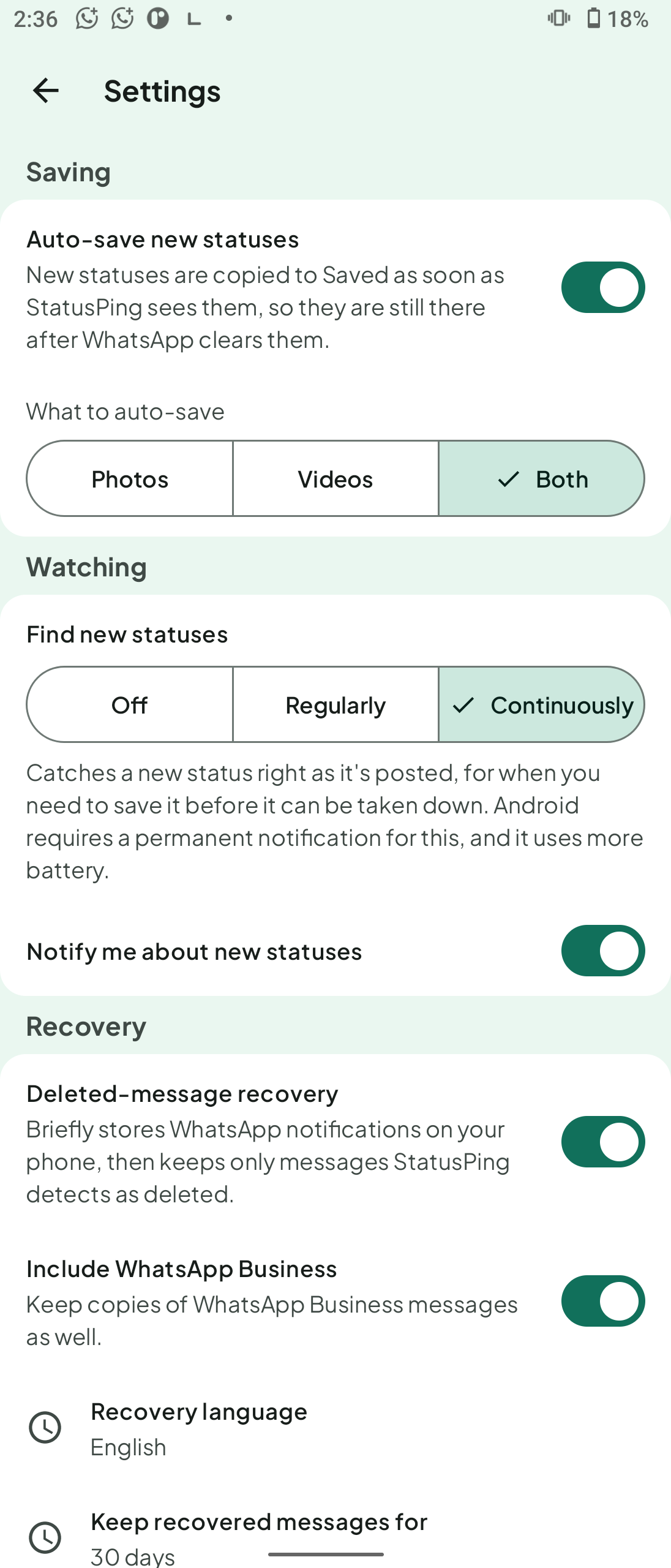
WhatsApp statuses disappear after 24 hours, so saving them by hand means remembering to check. StatusPing is an Android app that can copy new statuses for you with auto-save. Copies go to your own gallery folder and do not expire. It reads one folder only and cannot change or delete anything in it. Not affiliated with WhatsApp.
Steps
- Install StatusPing on your Android phone. No account or sign-in.
- Let StatusPing read the folder where WhatsApp keeps statuses. It can only save statuses you have already viewed in WhatsApp.
- Turn on auto-save. New statuses are copied into your gallery folder.
- For ongoing watching, go to Settings → Watching → Find new statuses → Continuously. A small notification shows while it watches.
- Open your saved set later to search, filter, view full screen, share or repost.
How it works
StatusPing watches for new statuses in the background and shows a small notification while it does. How fast a new status is copied depends on your phone's background limits, so capture is not guaranteed. If a status matters, open the app and save it by hand while the countdown still shows time left.
What the app needs
- It only reads WhatsApp's status folder.
- No account, no sign-in, no cloud.
- The app shows a small ad.
Ask before you repost
Saved statuses are your own copies. If a status belongs to someone else, ask their permission before you repost it.
FAQ
- Does auto-save catch every status? Not guaranteed. It depends on your phone's background limits.
- Why is there a notification? The app watches in the background and shows a small notification while it does.
- Does it change WhatsApp's files? No. It cannot change or delete anything in the folder.
- Does it work with WhatsApp Business? Yes, statuses from WhatsApp and WhatsApp Business, photos and videos.
- Is there an iPhone version? No. Android only.
Not affiliated with WhatsApp.